
Bank feeds
Connect your bank and keep the books current.
Settled transactions arrive in Foresight automatically. Match what is clear, flag what is not, and reconcile without moving between systems.
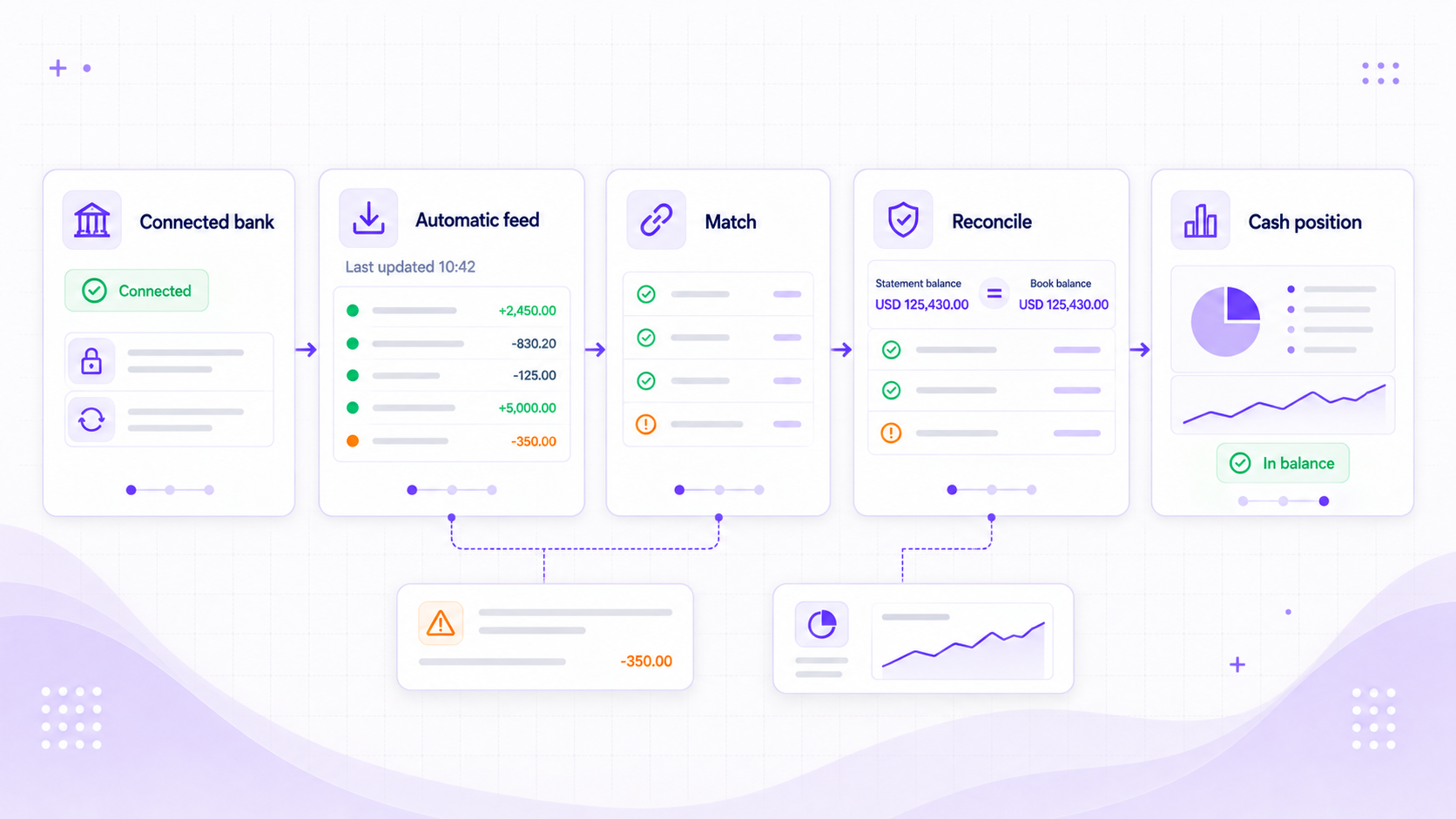
Reconciliation workspace
See new bank lines, clear the easy matches, and work through the rest.
The feed and the ledger sit side by side. New transactions arrive automatically, ready to match against invoices and other open items. You can still upload a statement when a feed is unavailable or you need older history.
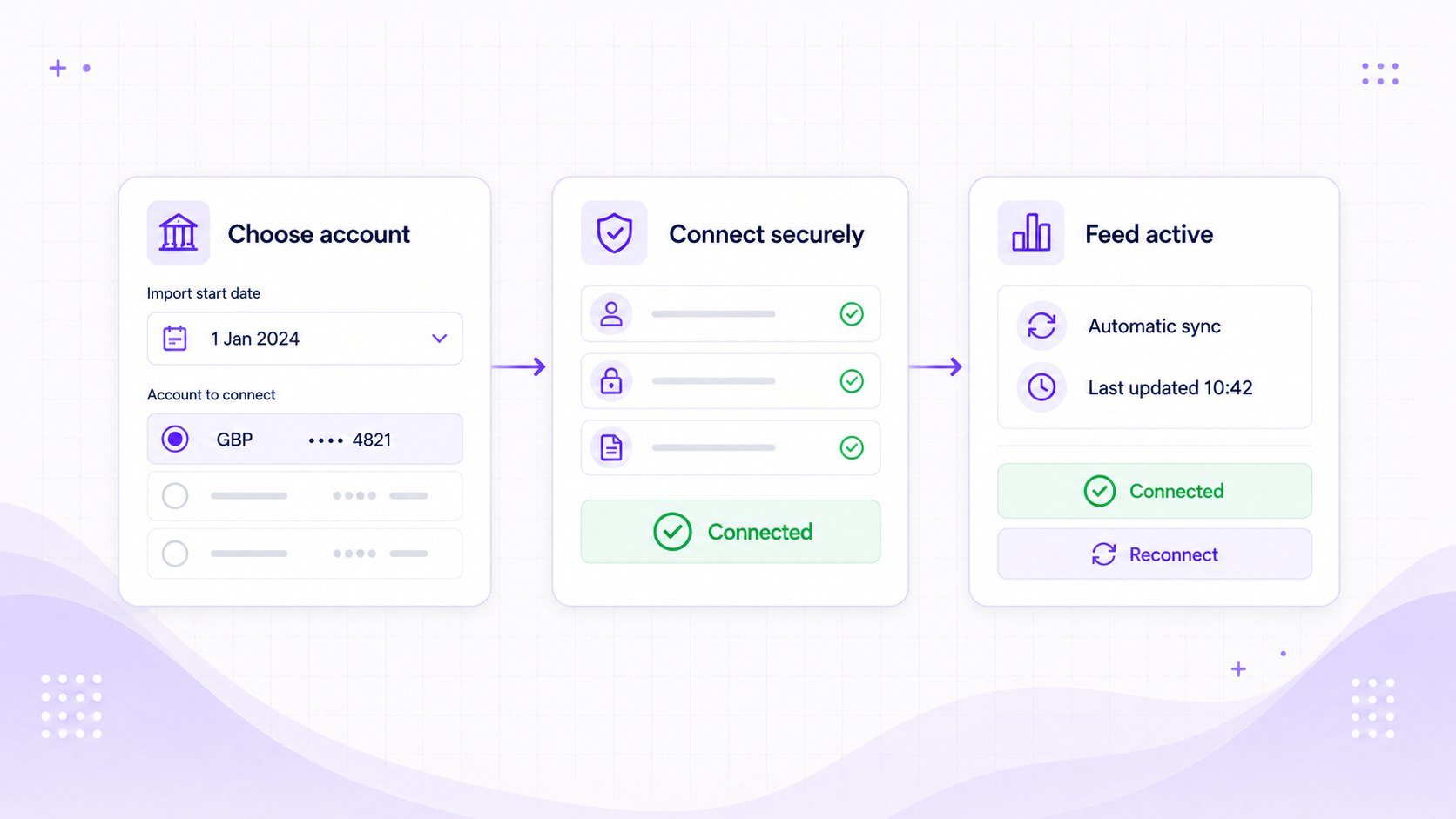
Connect the right account
Choose the account, set the import date, and confirm the currency. The page shows the latest update and tells you when the connection needs attention.
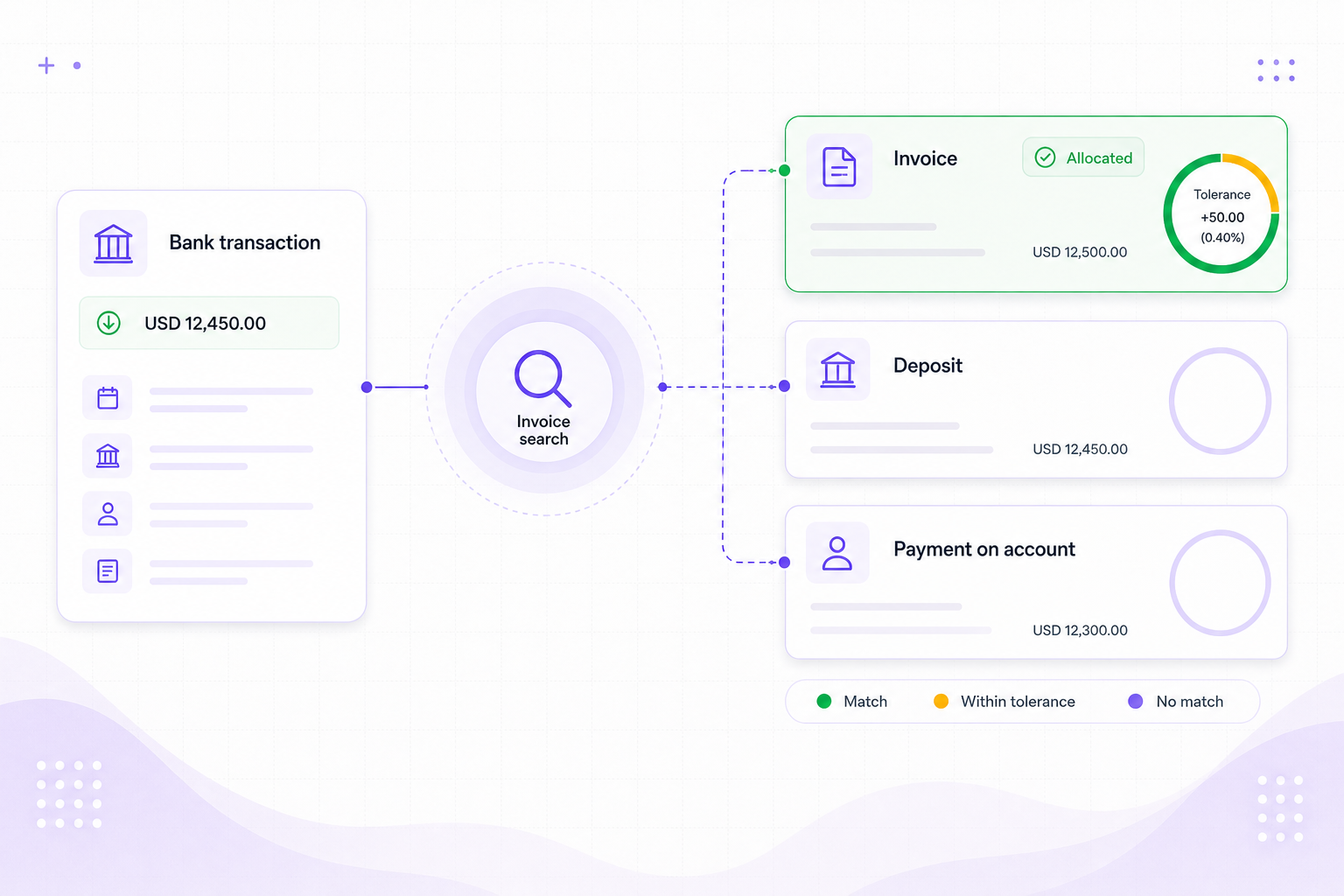
Match money to the right record
Search open invoices and apply receipts or payments. Deposits, payments on account, and small rounding differences are handled here too.
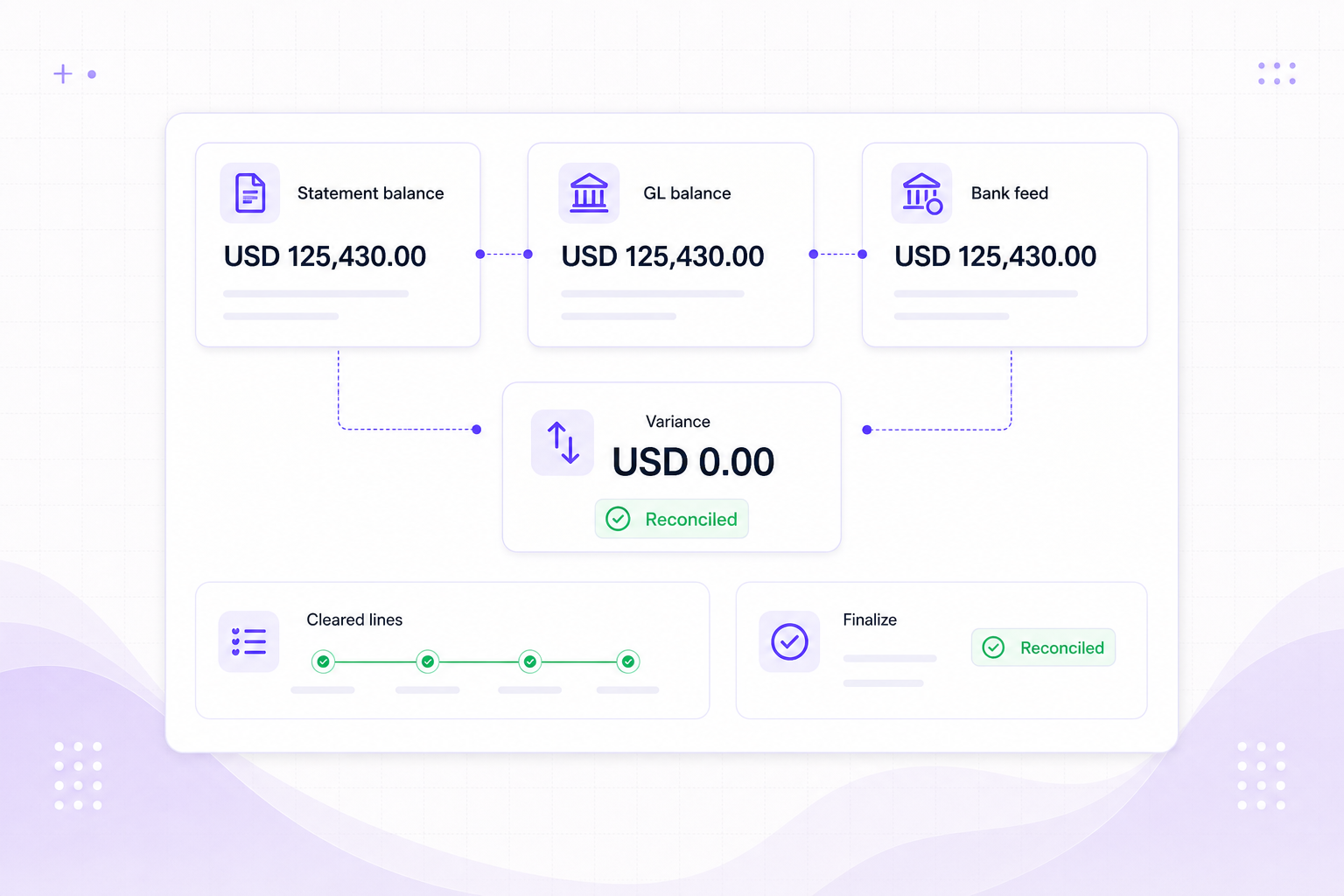
Finish the reconciliation
Compare the statement and book balances, clear the remaining lines, explain the difference, and sign off the period.
Bank controls
Know what arrived, what matched, and what still needs attention.
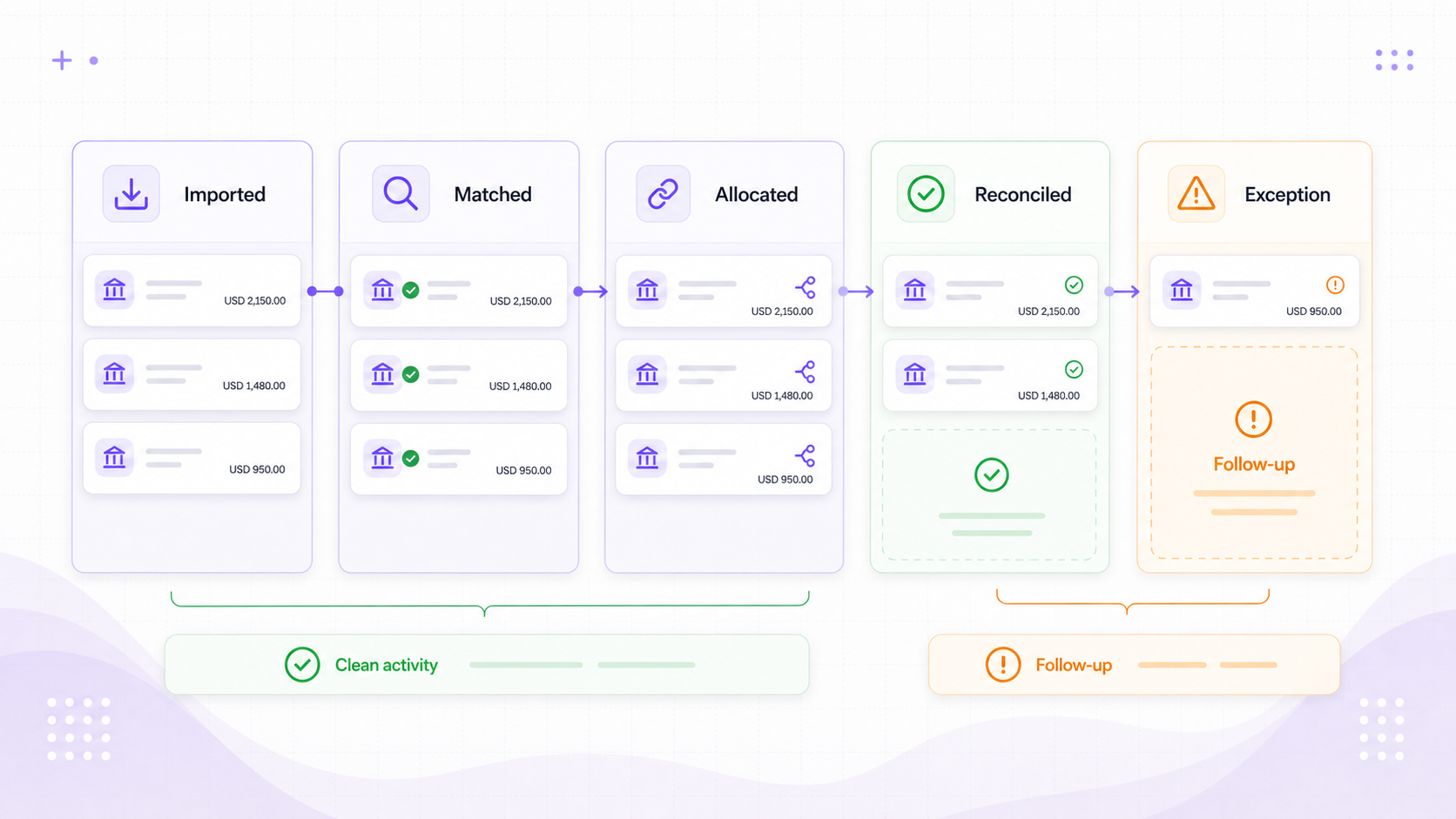
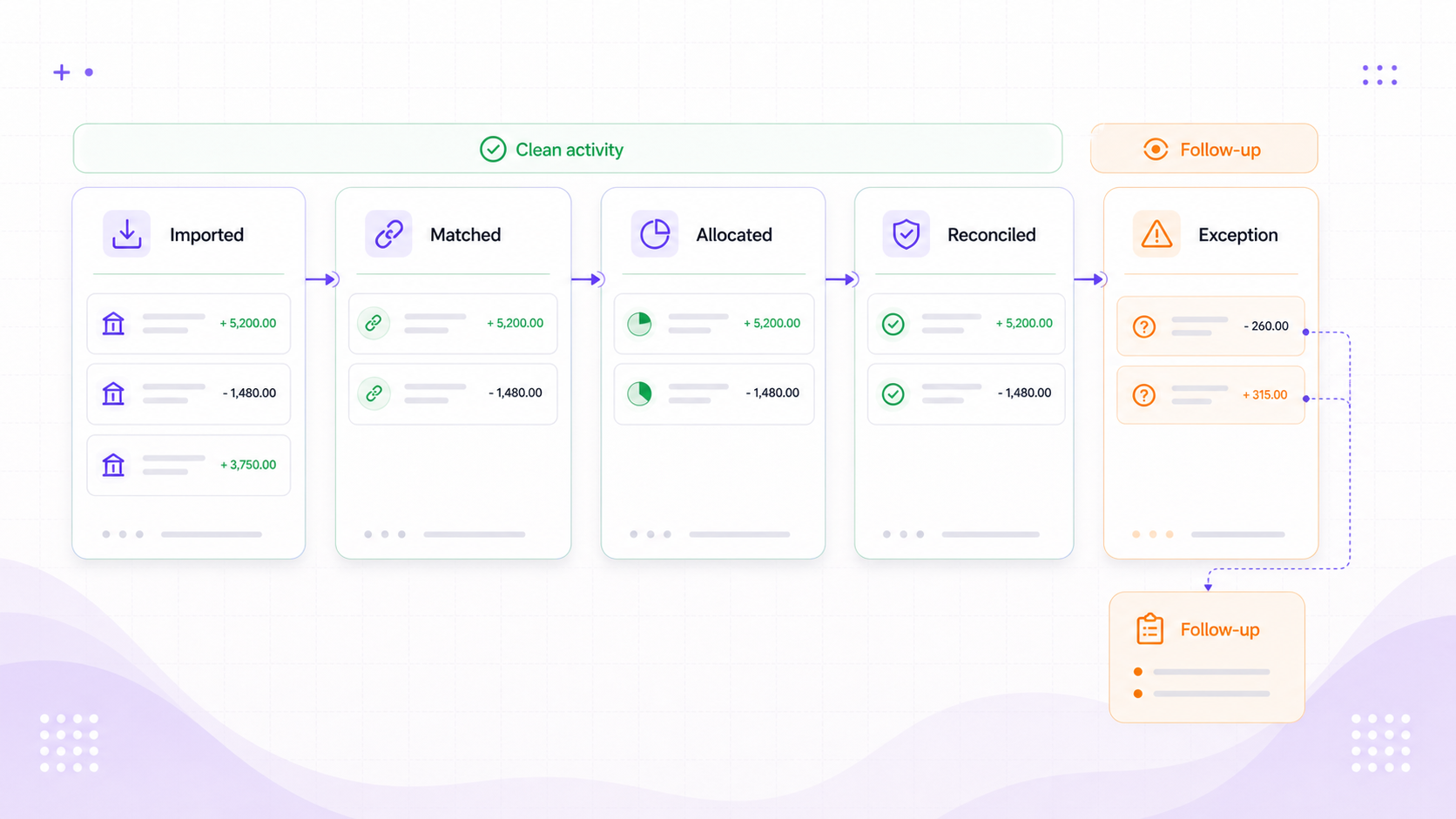
Status
See what still needs work
Imported, matched, allocated, and reconciled states make the exceptions easy to find.
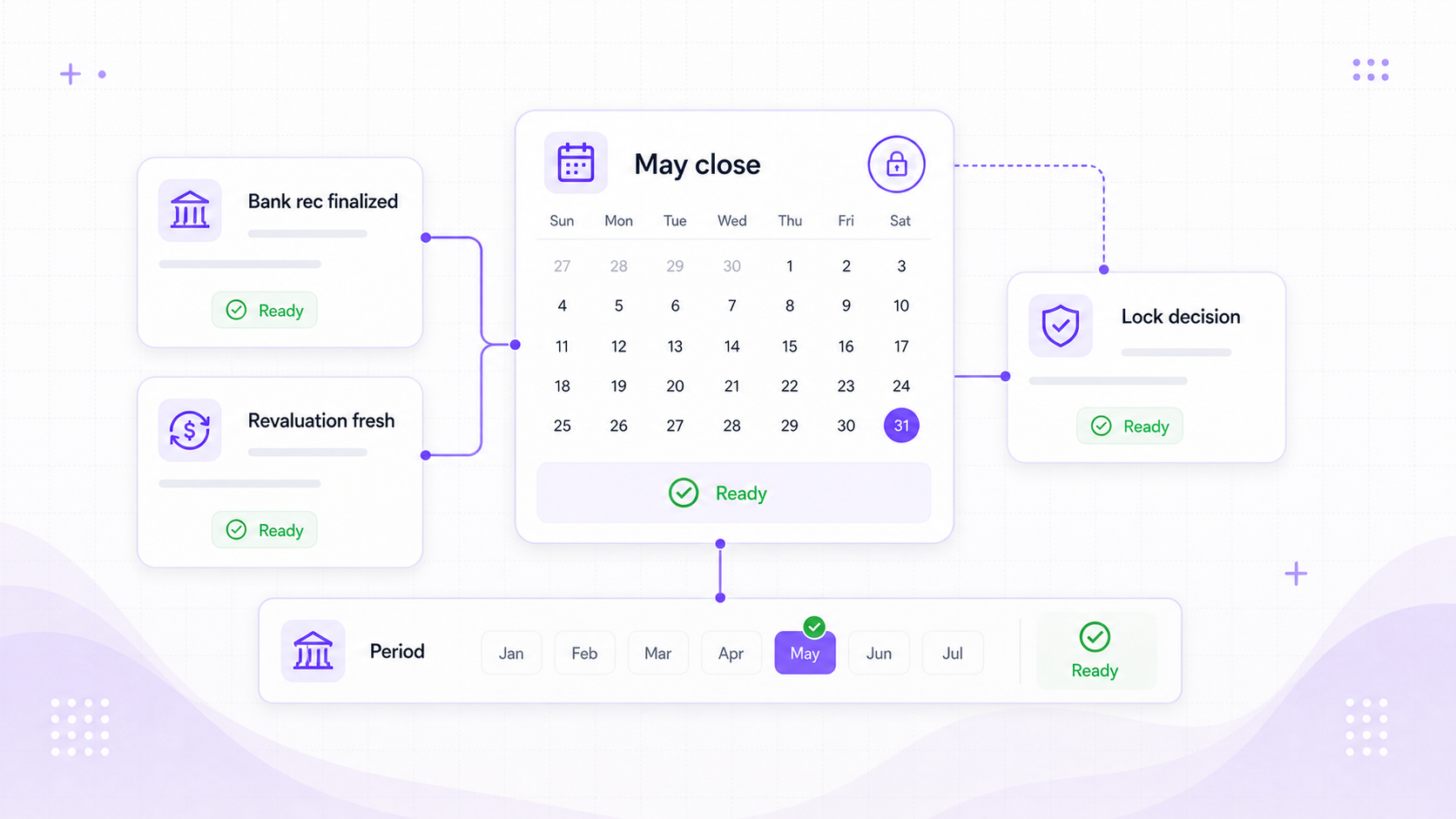
Period
Reconcile before you lock the period
Open items and stale bank data show up before month-end is signed off.
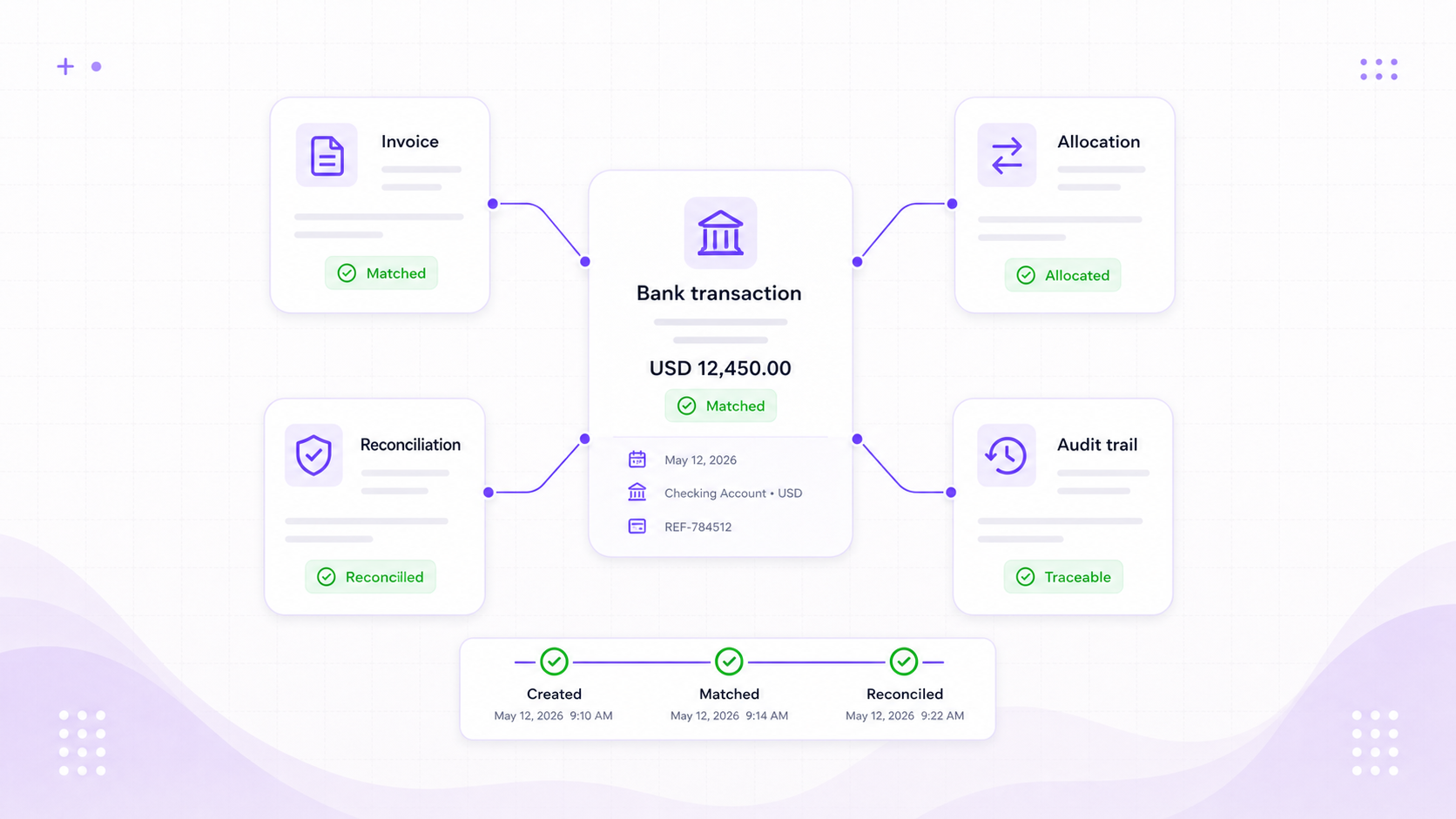
Trace
Keep the link back to the bank line
Each allocation shows the bank transaction, invoice, reconciliation, and change history behind it.
Before month-end
A bank position you can trust before close.
Fewer statement uploads
Settled transactions arrive automatically. You only reach for a file to fill a gap or bring in older history.
A clearer cash position
Bank activity, receipts, payments, and open invoices are easier to compare.
No silent feed failures
The account shows the latest update and tells you when consent must be renewed or the bank reconnected.
Bank feeds
Bring new bank transactions straight into reconciliation.
See how connected feeds, matching, and reconciliation work together in Foresight ERP.