
Finance workflows
Finance workflows for the work before the ledger is ready.
Turn documents, spreadsheets, ERP events, and finance requests into review-ready records. Define the processing steps, route exceptions, and apply approvals before posting.
From input to action
Start with the way finance work actually arrives.
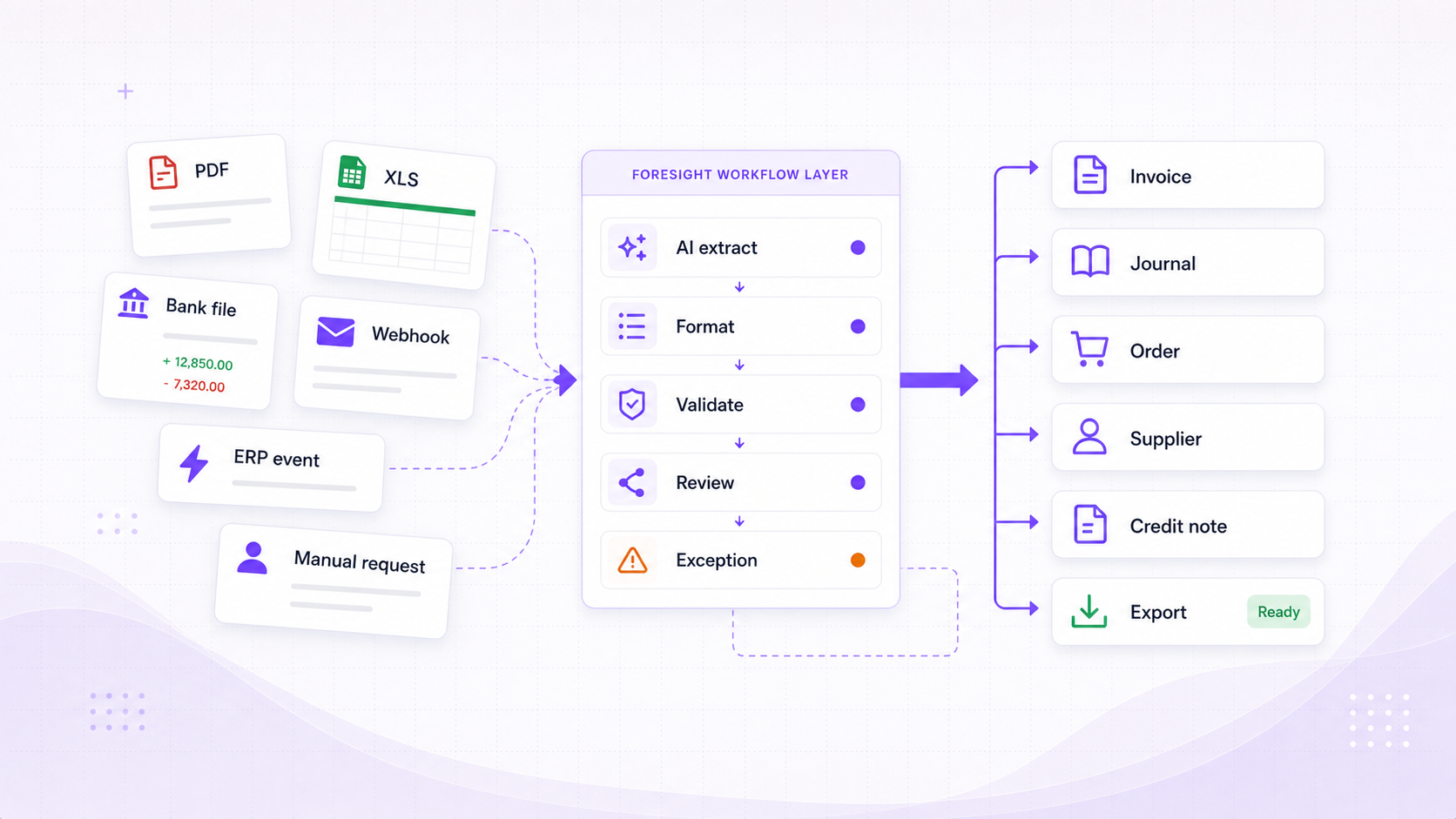
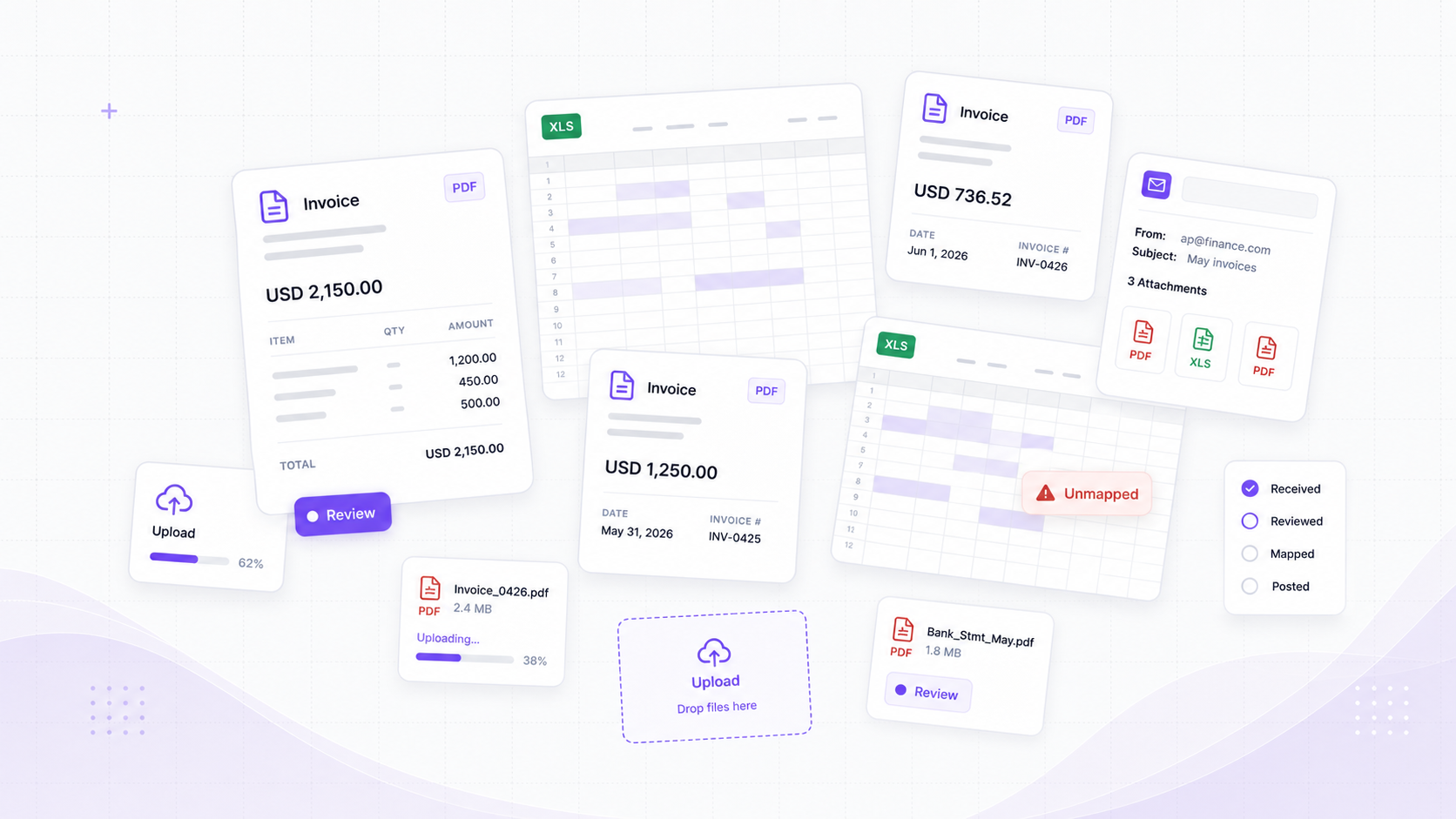
Foresight workflows can start from files, schedules, webhooks, ERP events, or manual requests, then carry that context through extraction, formatting, routing, and finance record creation.
Documents
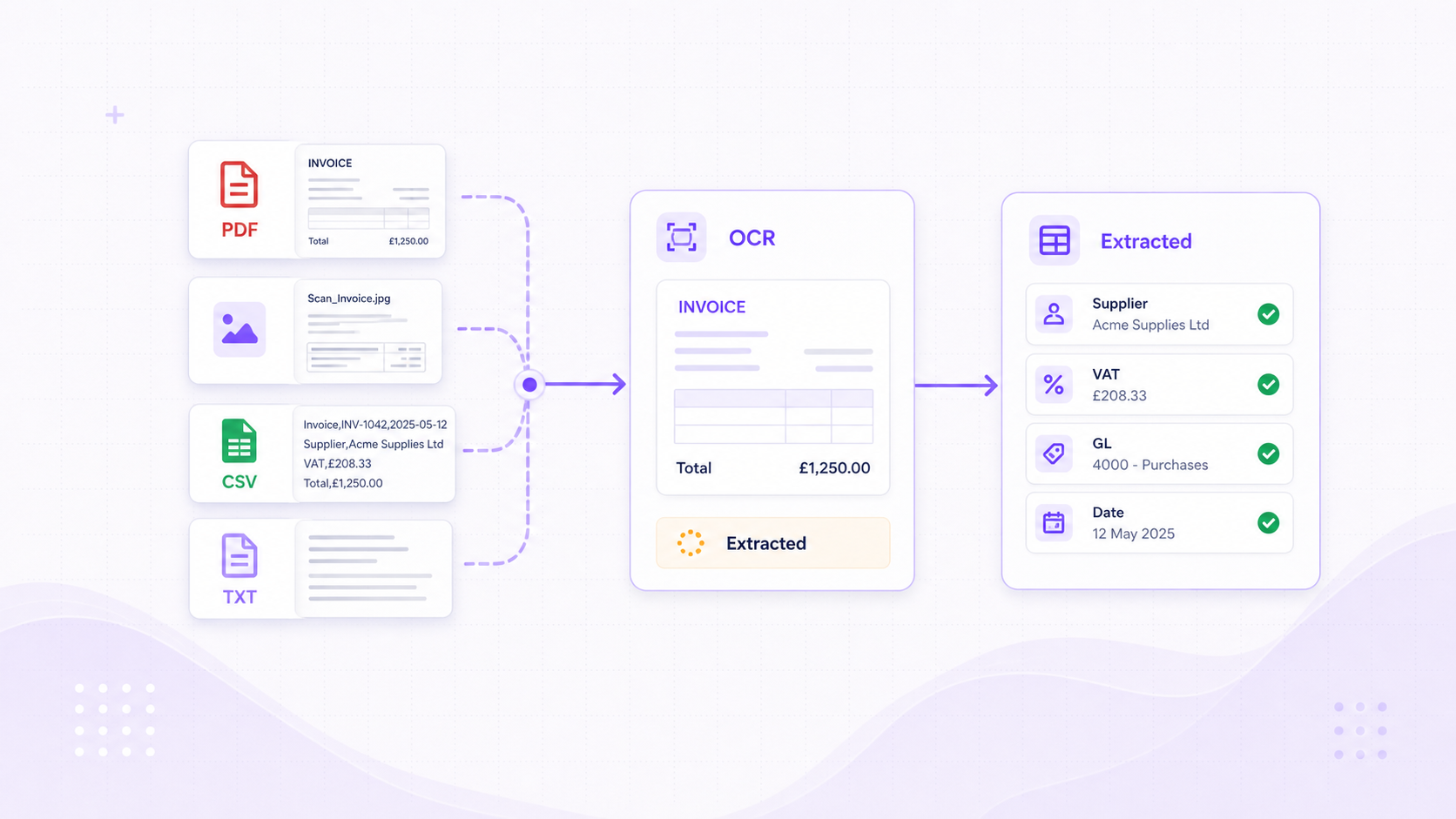
Import PDFs, images, spreadsheets, CSVs, and text files with text extraction, OCR fallback, and spreadsheet parsing handled before rekeying starts.
Spreadsheets
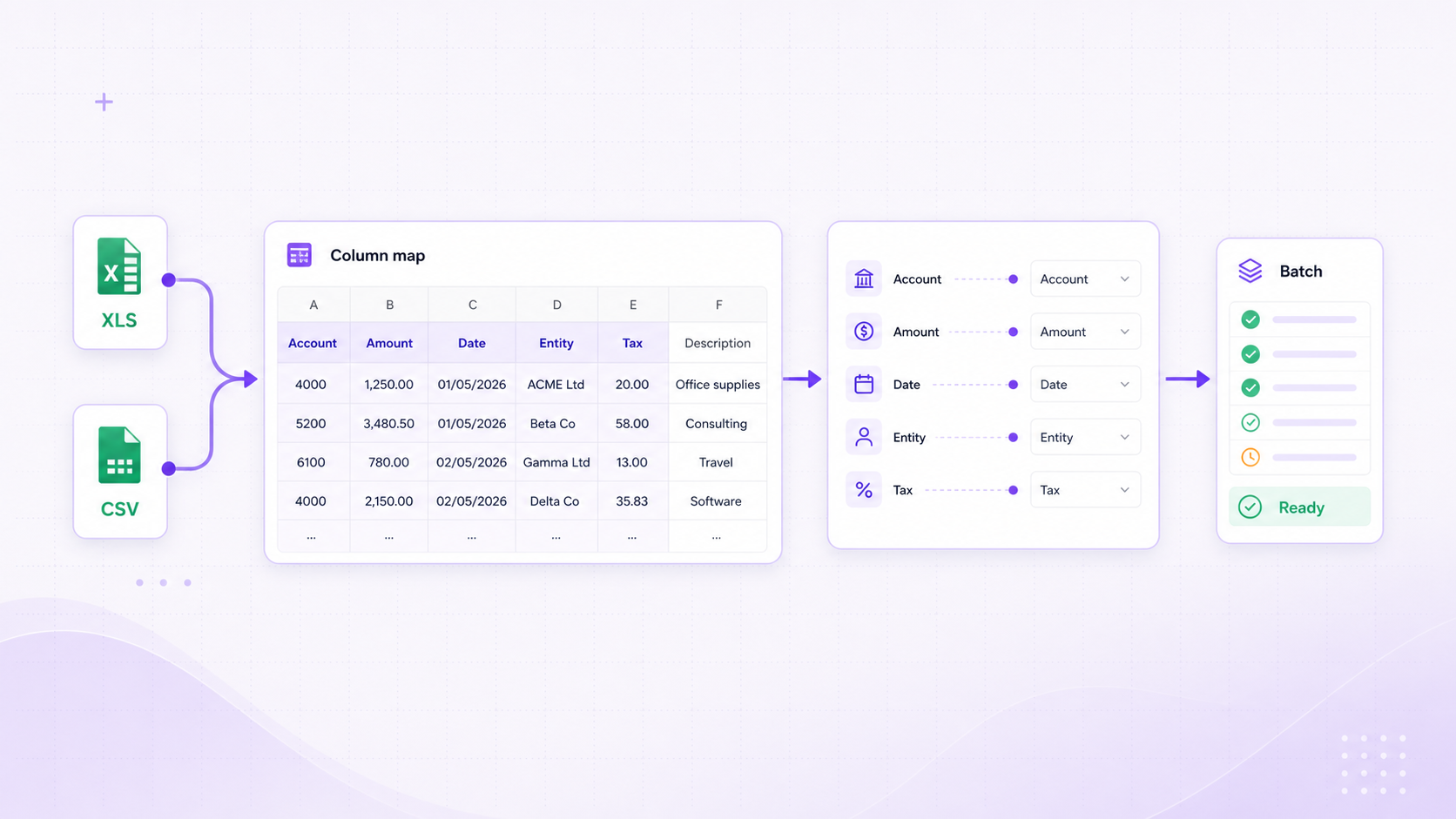
Start workflows from Excel or CSV files with sheet selection, header-row handling, row batching, and field-mapping controls.
Events and schedules
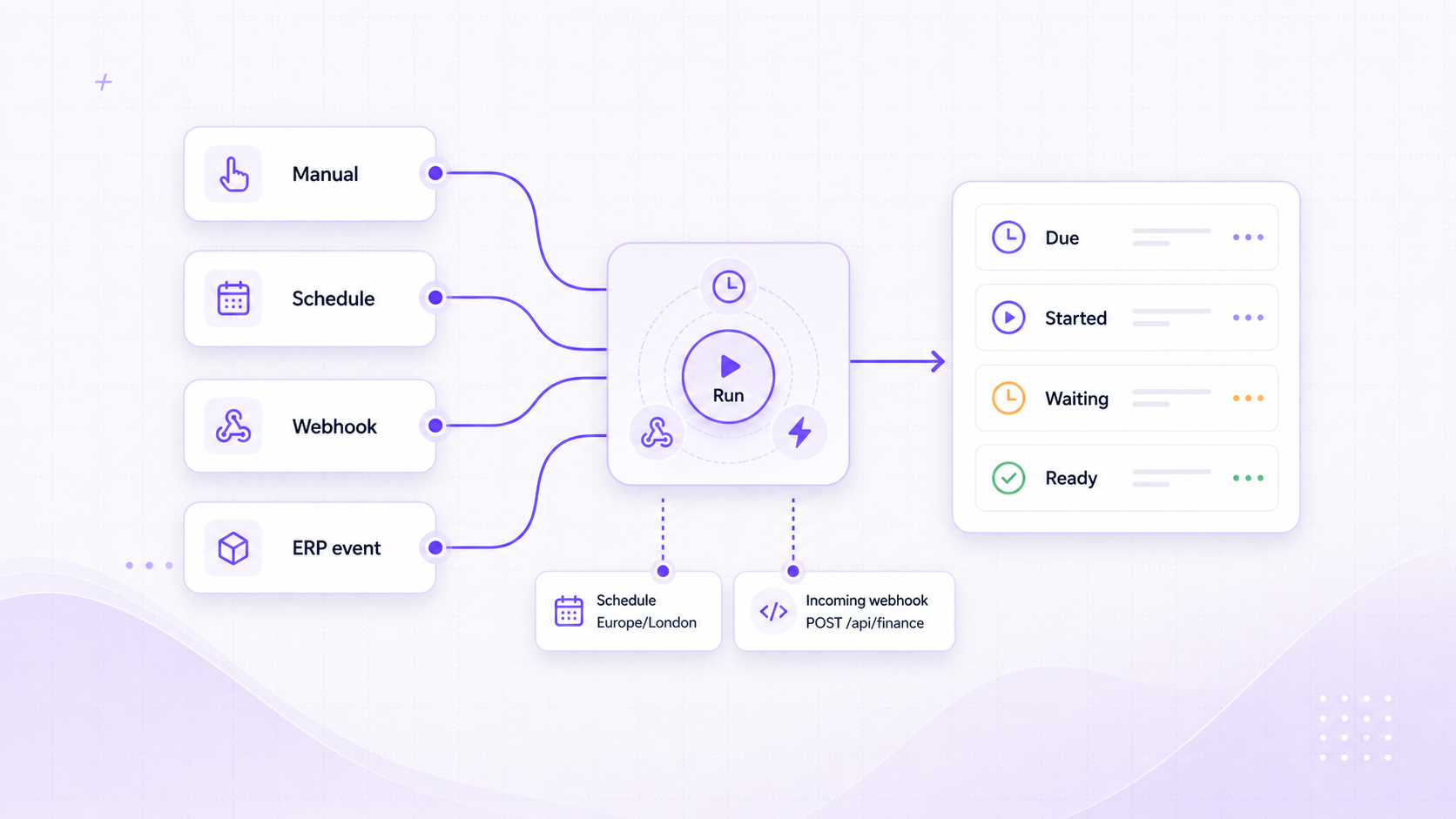
Run finance work manually, on a schedule, from an ERP event, or from a webhook sent by another system.
Workflow use cases
One workflow layer for the jobs finance repeats every week.
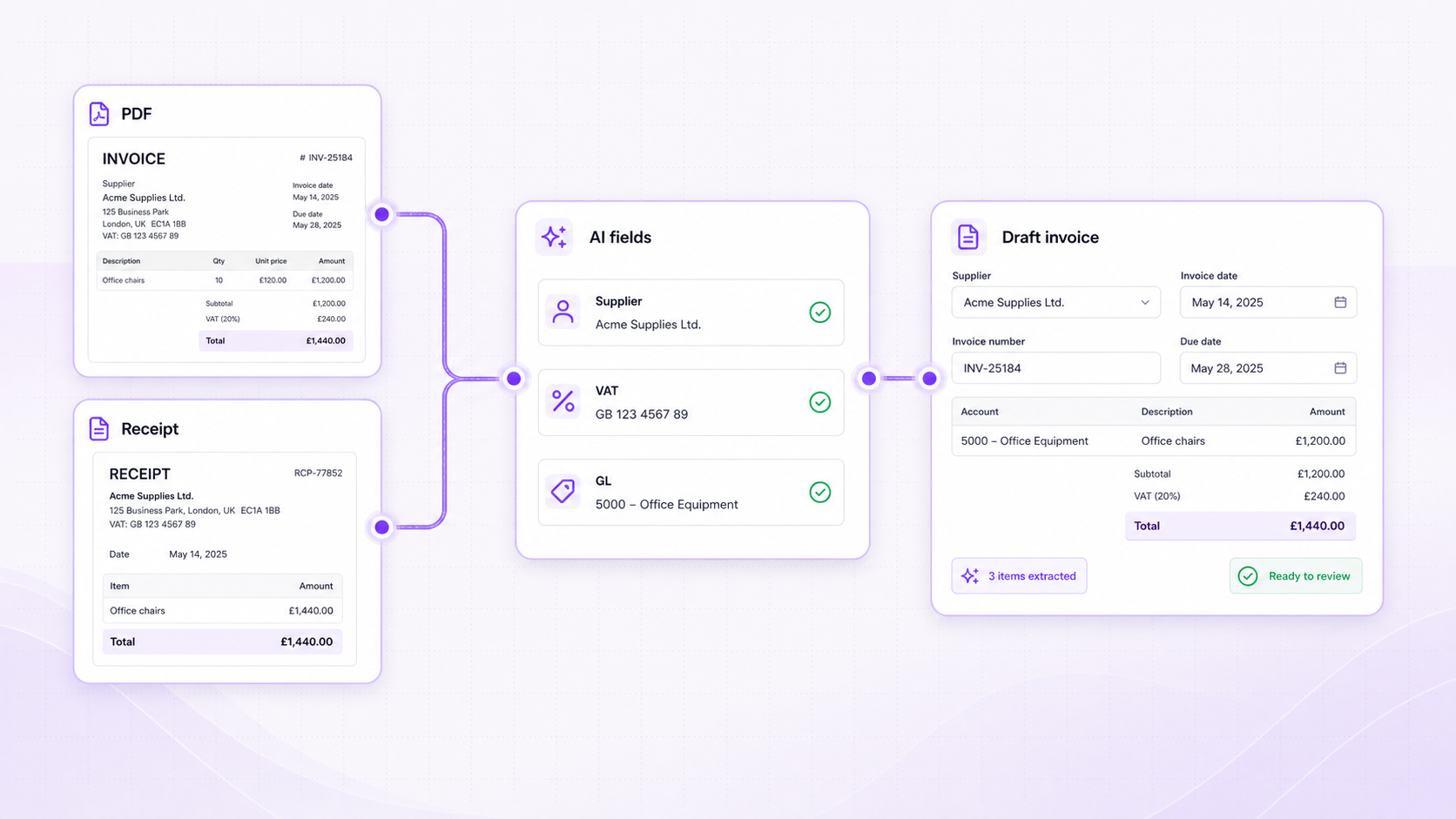
PDF -> AI fields -> Draft record
Document-to-record workflows
Extract supplier, tax, account, currency, and line details from documents, then prepare invoices, credit notes, or journals for review.
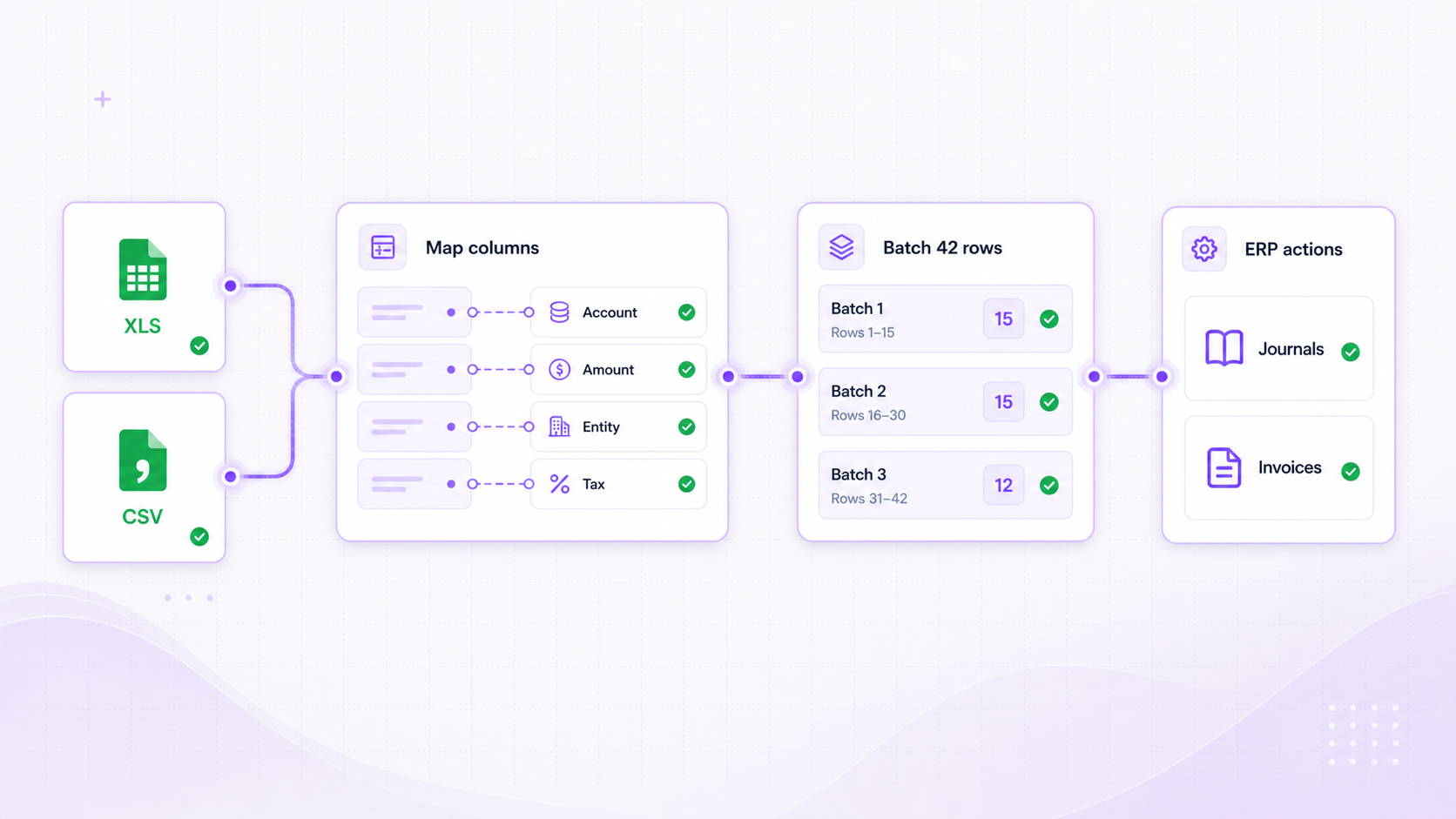
XLS -> Mapper -> ERP actions
Spreadsheet-to-ERP workflows
Import rows, standardise values, split batches, map line items, and create clean ERP outputs from operational spreadsheets.
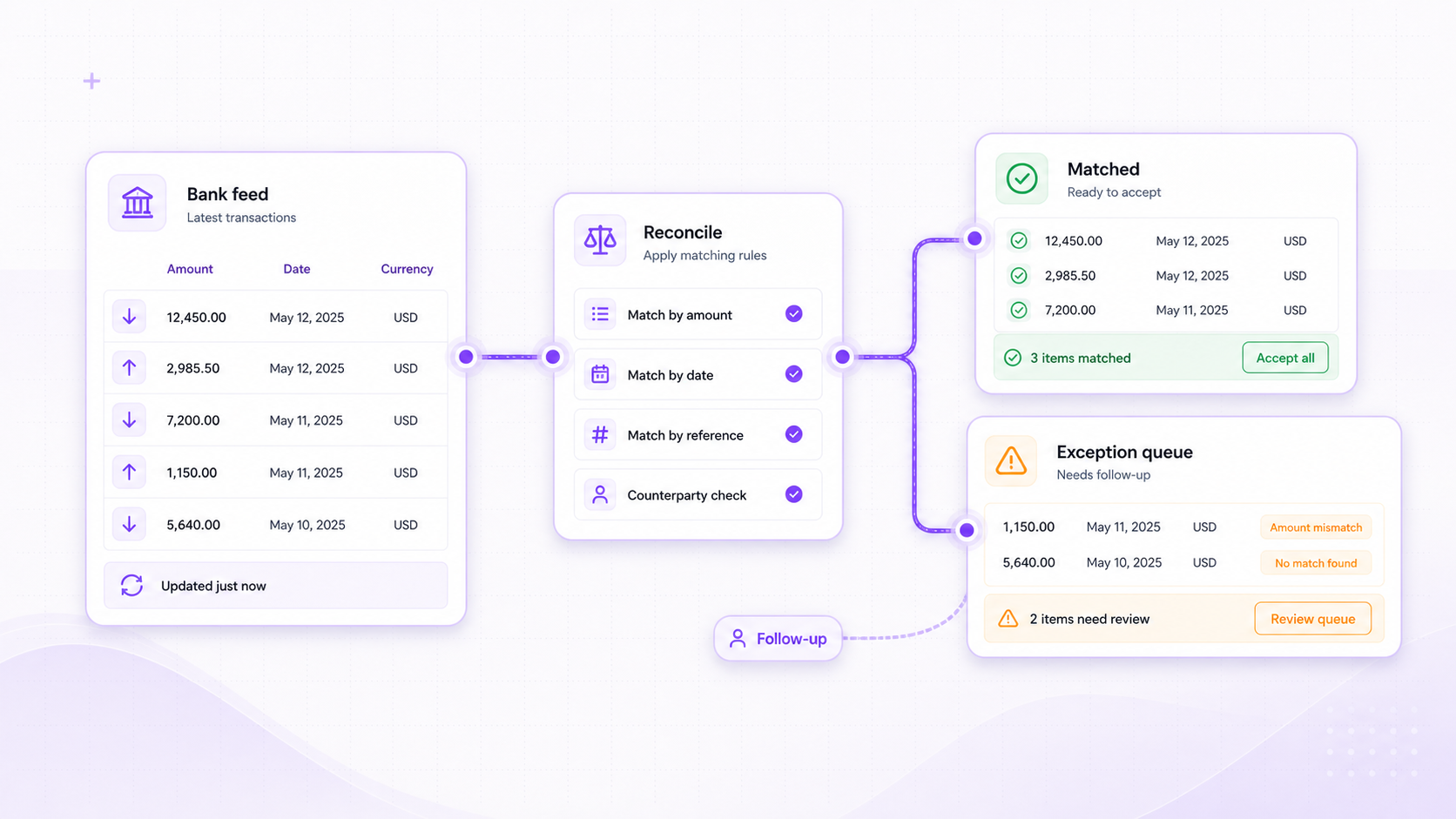
Bank feed -> Exceptions -> Follow-up
Banking and reconciliation workflows
Find bank transactions by allocation, reconciliation status, amount, date, currency, or bank account, then route the exceptions.
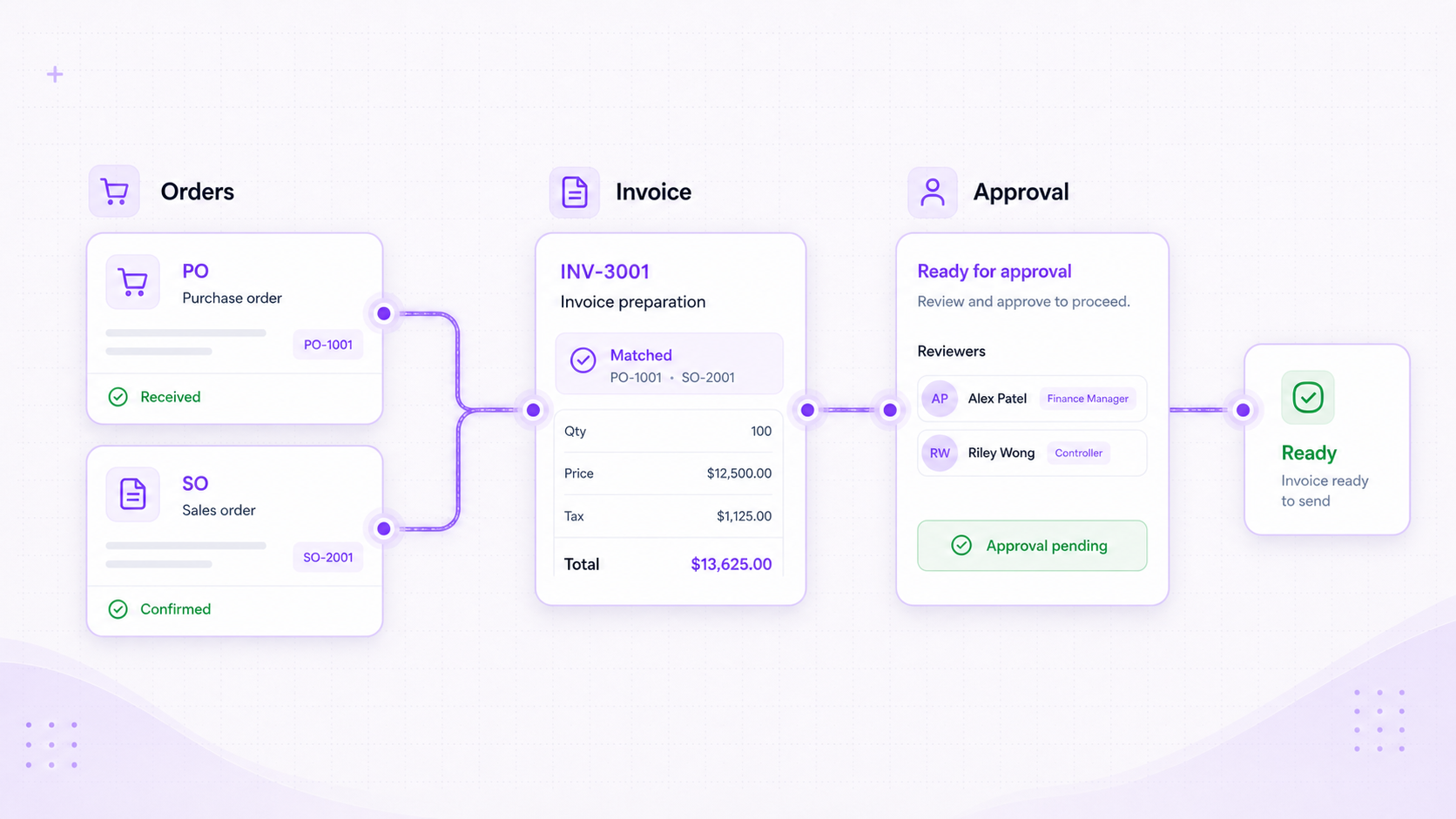
Orders -> Invoices -> Approval-ready
Order and invoice workflows
Search, create, or route sales orders, purchase orders, sales invoices, and purchase invoices using governed finance data.
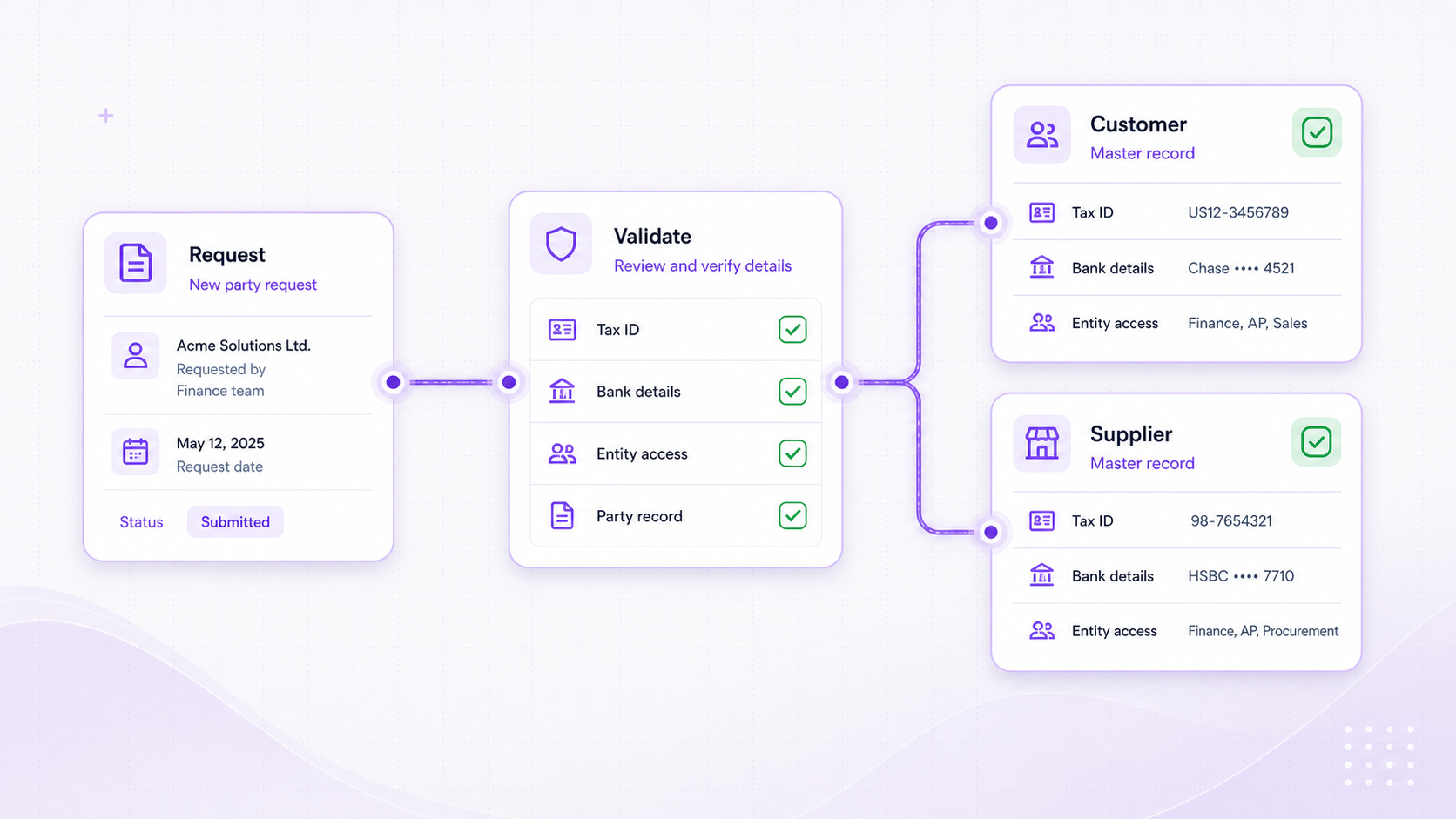
Request -> Validation -> Party record
Master data workflows
Create customers and suppliers as part of a controlled workflow instead of leaving onboarding details in email threads.
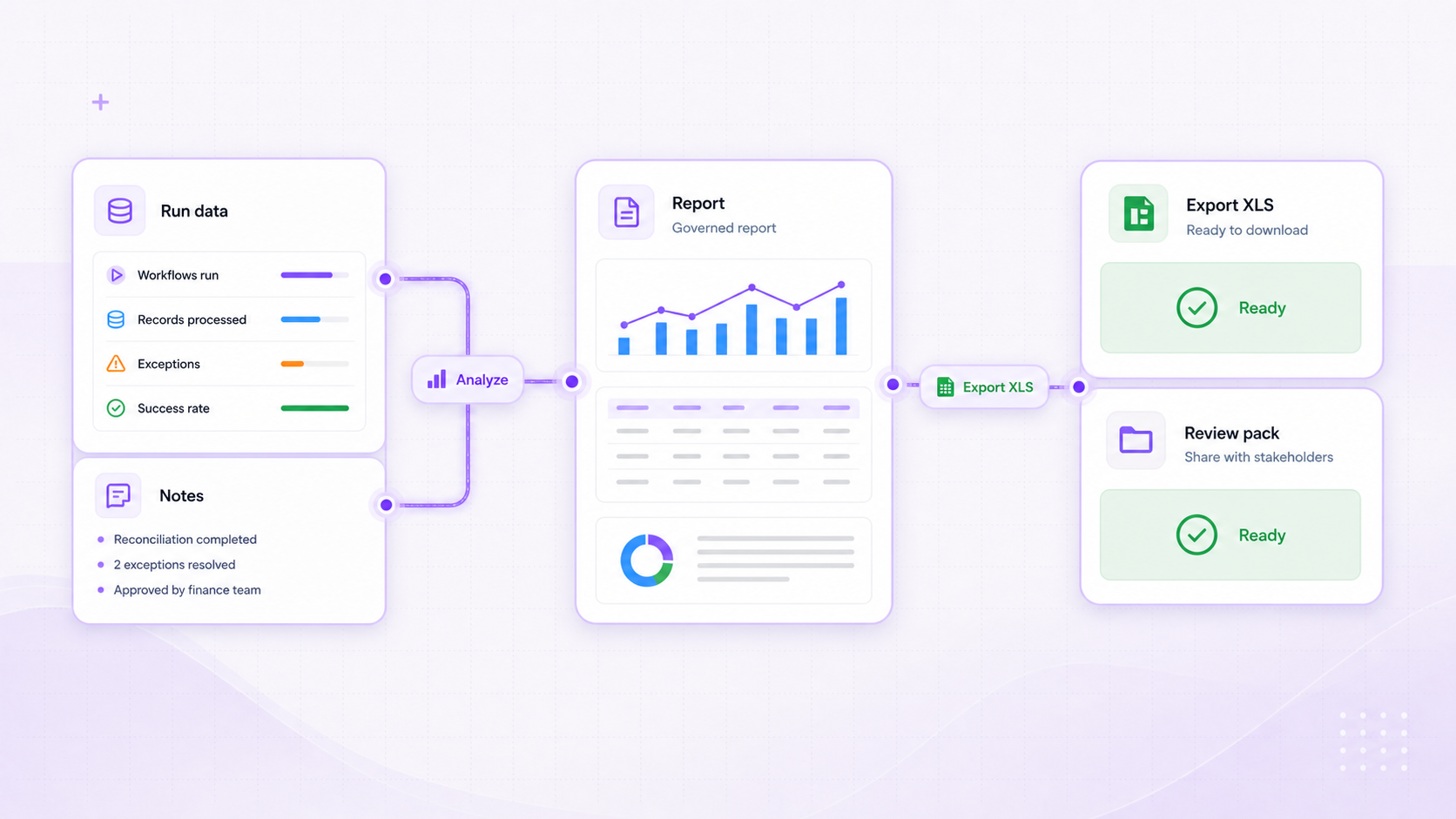
Run data -> Report -> XLS output
Reporting and export workflows
Analyse workflow data, add run notes, generate output files, and export spreadsheets for review packs or operational handoffs.
Built for finance control
AI can prepare the work. Finance keeps the decision rights.
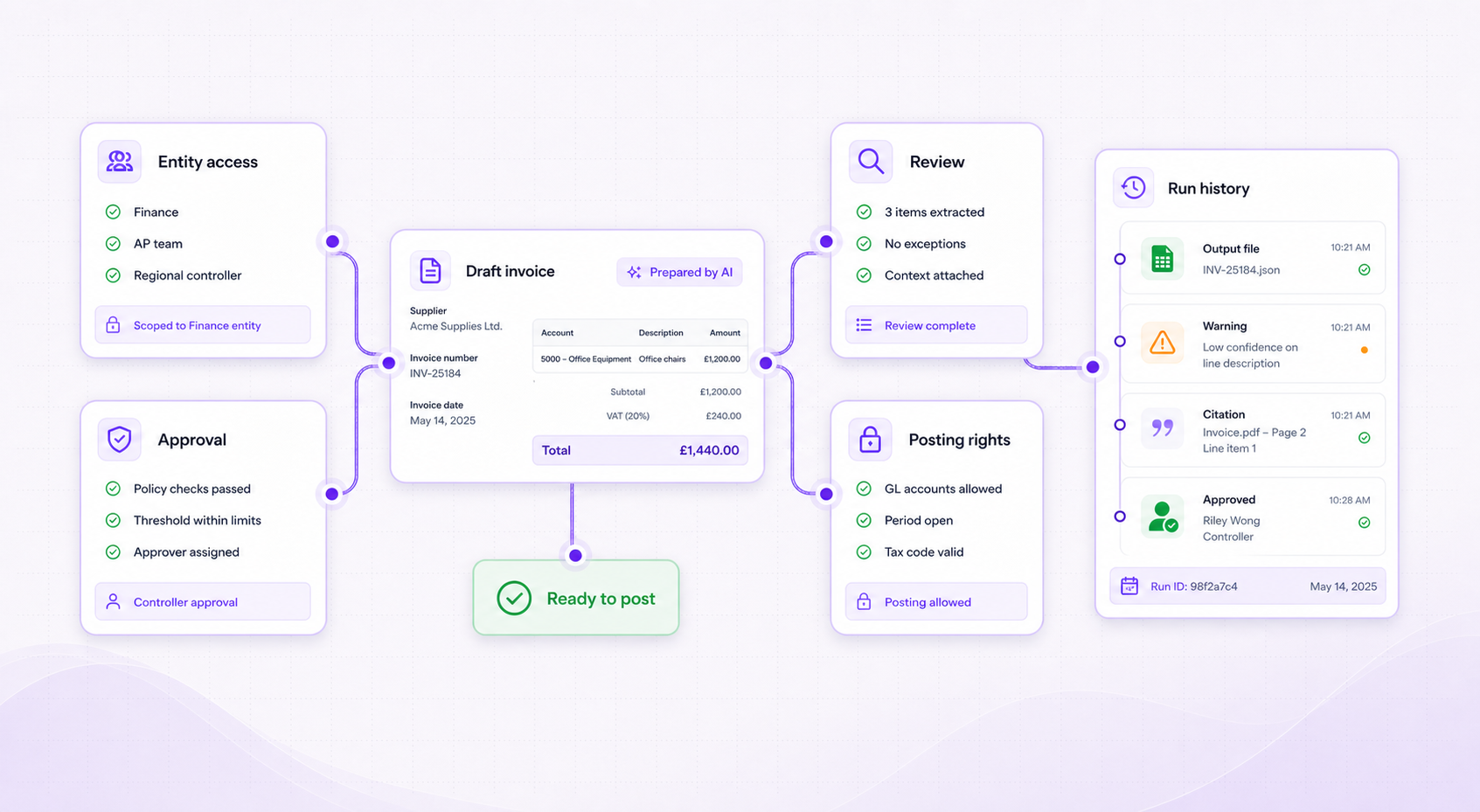
Workflow automation sits inside the ERP control model: entity access, approval state, posting rights, run history, and reviewable outputs.
Scope
Access control
Entity scope
Keep every workflow inside the right business context before any action is prepared.
Review
Human decision
Reviewable AI
AI prepares finance records as drafts, with review gates before anything becomes final.
Trace
Audit context
Run evidence
Attach output files, notes, warnings, and citations to the workflow run.
Post
ERP control
Posting guardrails
Carry approvals, draft state, posting rights, and period rules into the ERP record.
Workflow building blocks
Compose finance processes from ERP-aware steps.
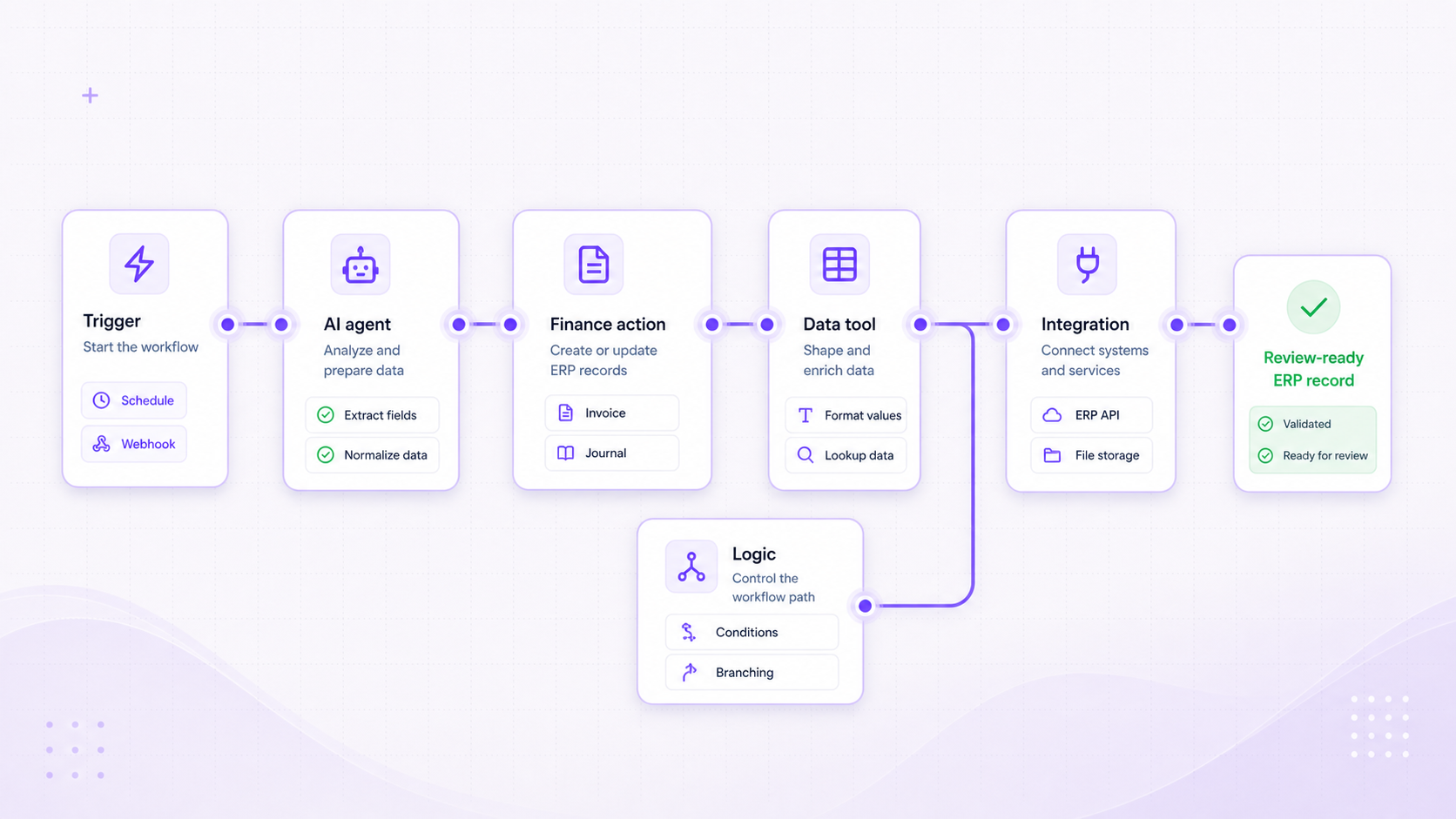
Workflows combine triggers, AI agents, finance actions, data tools, logic, and integrations so teams can standardize the path from request to review-ready ERP record.
Start
Workflow intake
Start from manual runs, schedules, webhooks, ERP events, spreadsheets, or document imports.
Prepare
AI and workflow logic
Use finance-aware agents, extraction, formatting, batching, conditions, and wait steps to prepare the work.
Act
ERP actions and outputs
Find or create finance records, call connected systems, save state, generate files, and export spreadsheets.
Ready for finance review
Standardize how finance work enters, gets reviewed, and becomes ERP action.
Less rekeying before review
Extracted documents, spreadsheet rows, events, and requests can enter the workflow with their source information recorded.
Review gets cleaner
Draft records, exceptions, warnings, and citations are easier for finance teams to triage.
Control stays visible
Approval state, close readiness, posting discipline, and governance remain attached to the work.
Finance workflows
Move faster without letting finance control drift.
Use Foresight ERP to turn recurring finance work into repeatable workflows with AI assistance, ERP-aware actions, and reviewable outputs.