
Tax returns
File tax returns without rebuilding the numbers.
Prepare the return from approved reconciliations, check each figure against the ledger, get sign-off, and submit it to the tax authority.
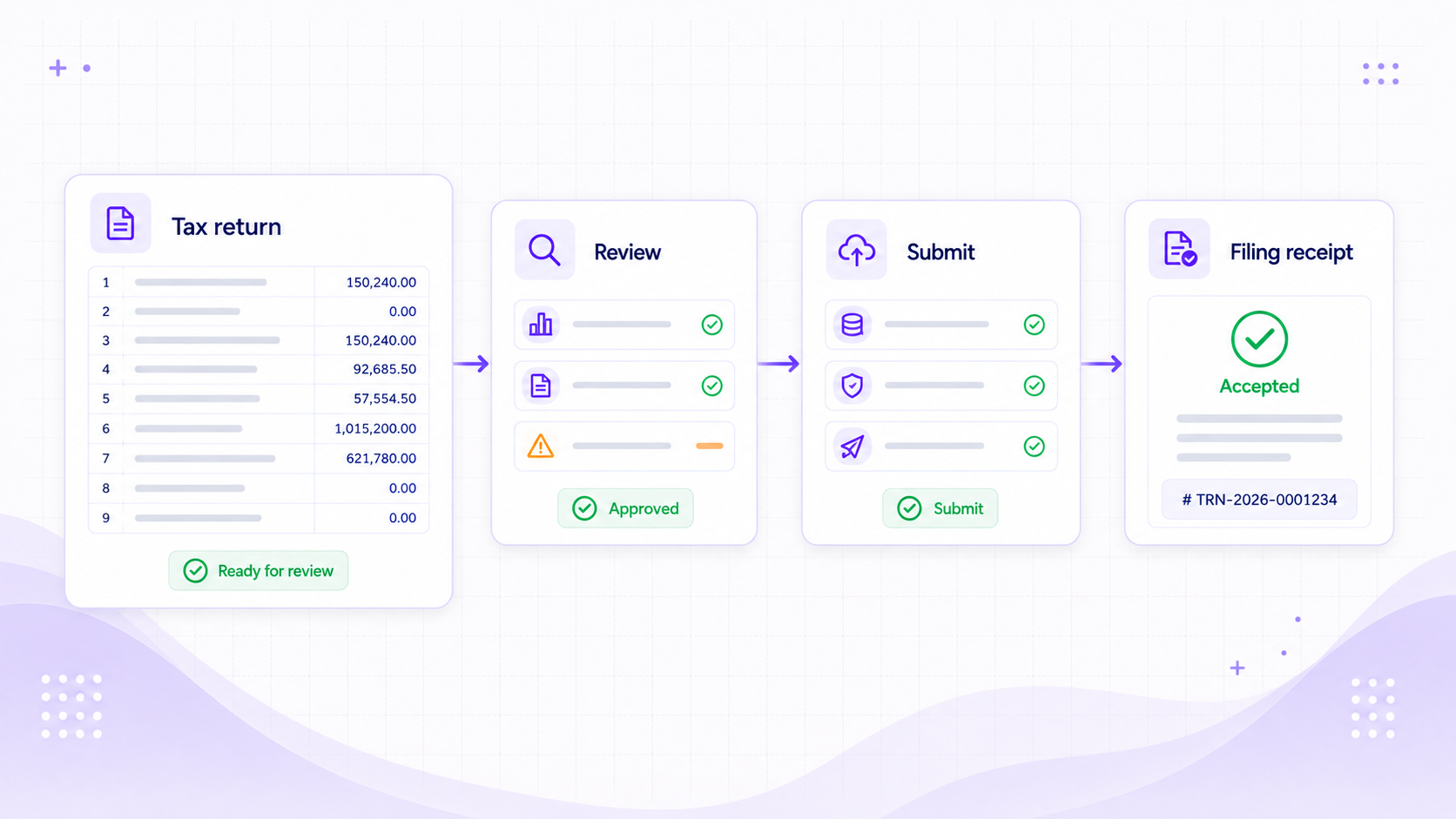
Return workspace
See what is due, review the figures, and keep the filing receipt.
Start with the filing due date and the reconciliations that cover it. Review the return, fix any mapping gaps, add supported adjustments, and send the finished return for approval. The response comes back to the same page.
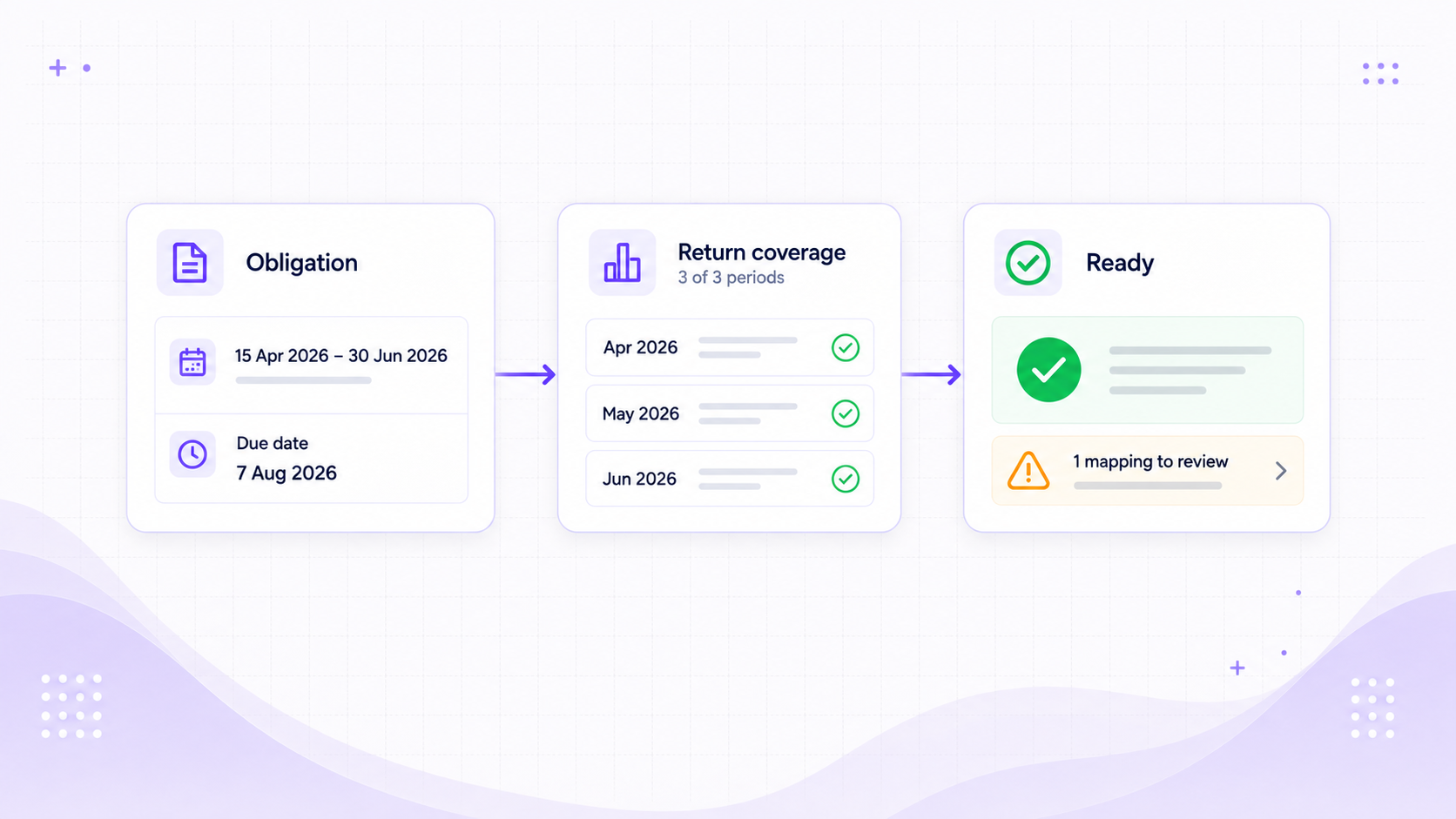
Know what is due
See the filing period, due date, covered reconciliations, and anything that must be fixed before review.
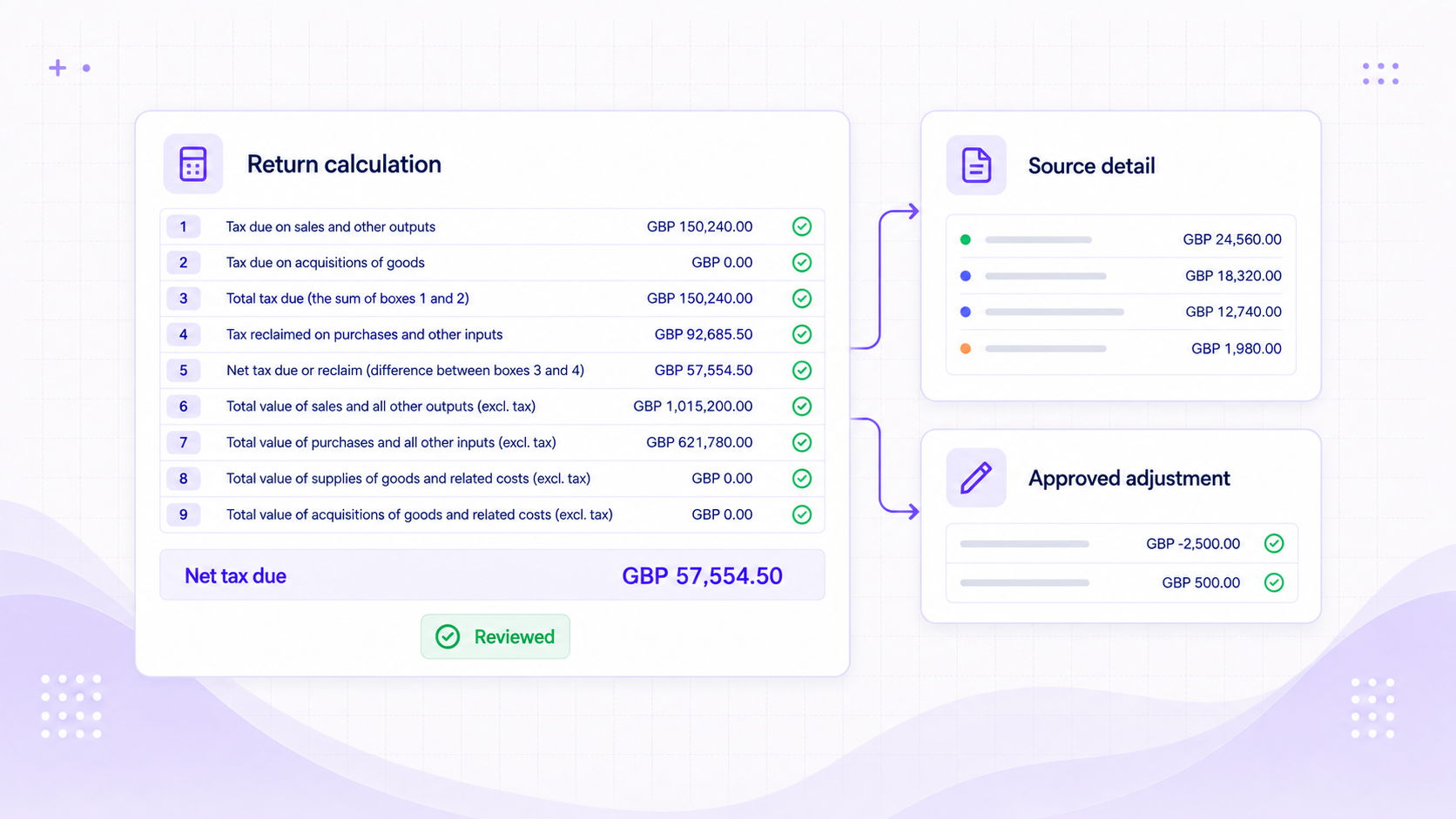
Check every figure
Open the transactions behind a return figure and record an adjustment without losing the original calculation.
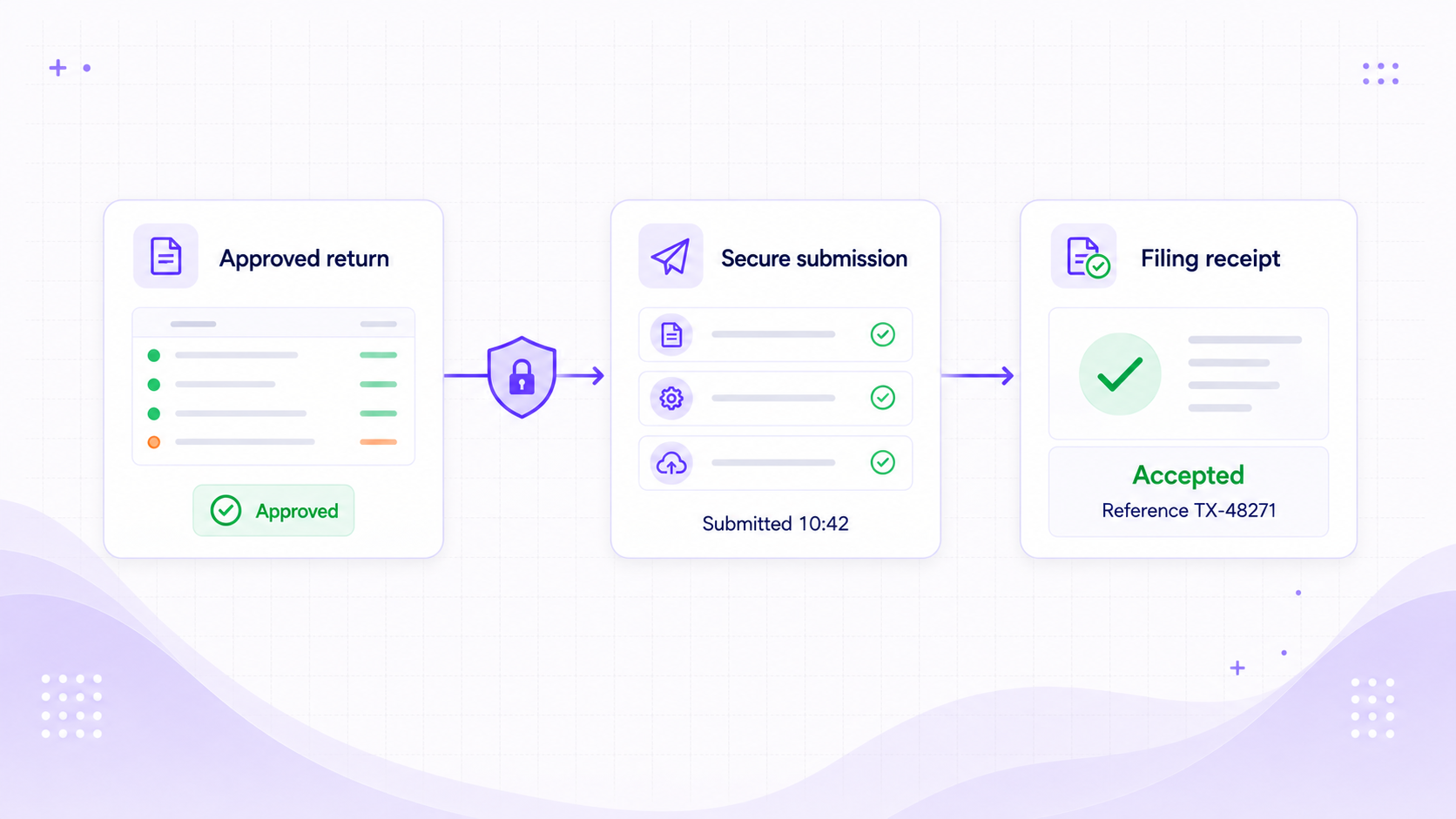
File from Foresight
Submit the approved return through the authority connection. The receipt and filing reference come straight back to the return.
Review and filing
Sign-off, submission, and evidence stay with the return.
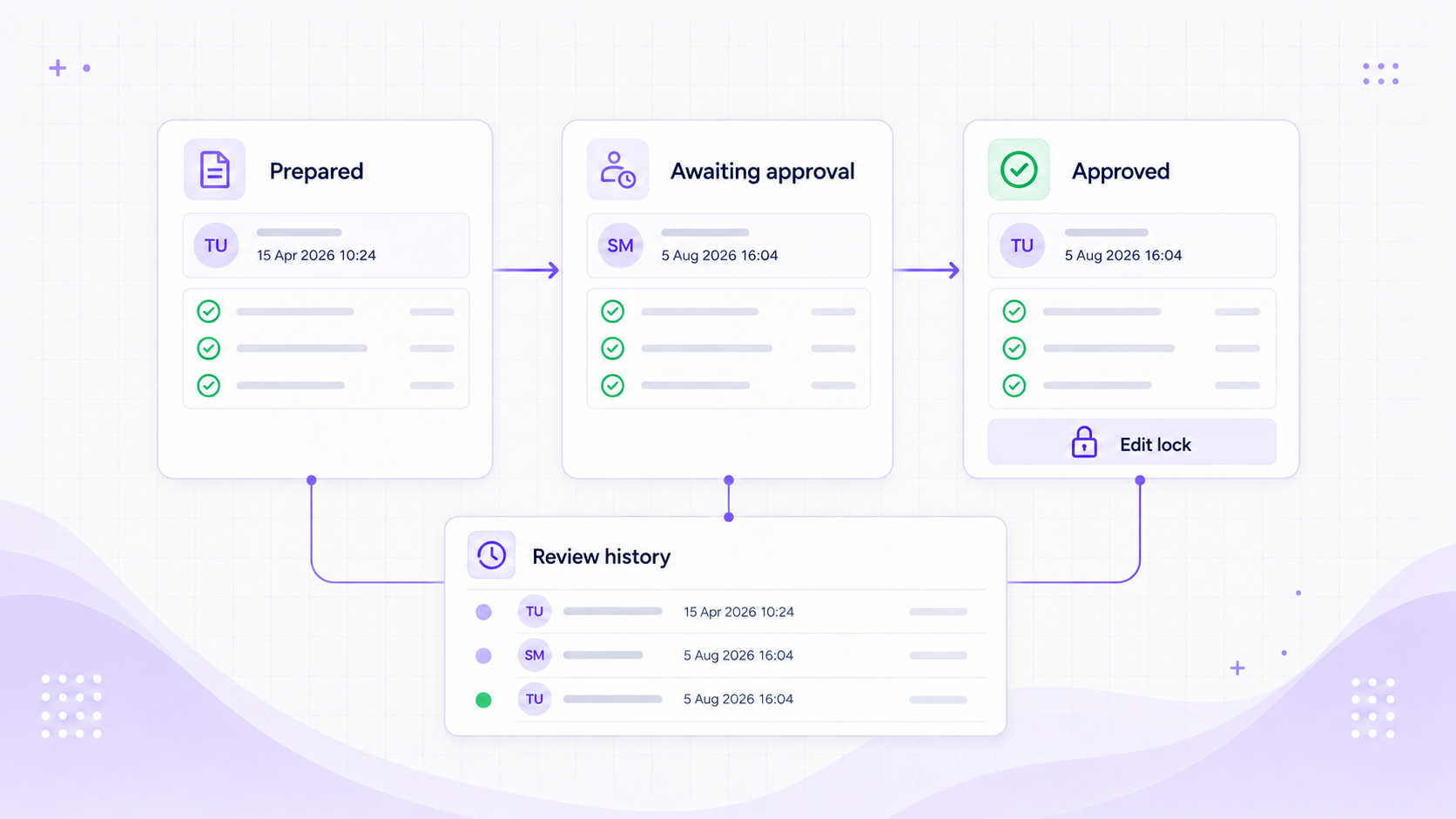
Approve
Separate preparation from sign-off
The history shows who prepared the return, who approved it, and when the figures were locked.
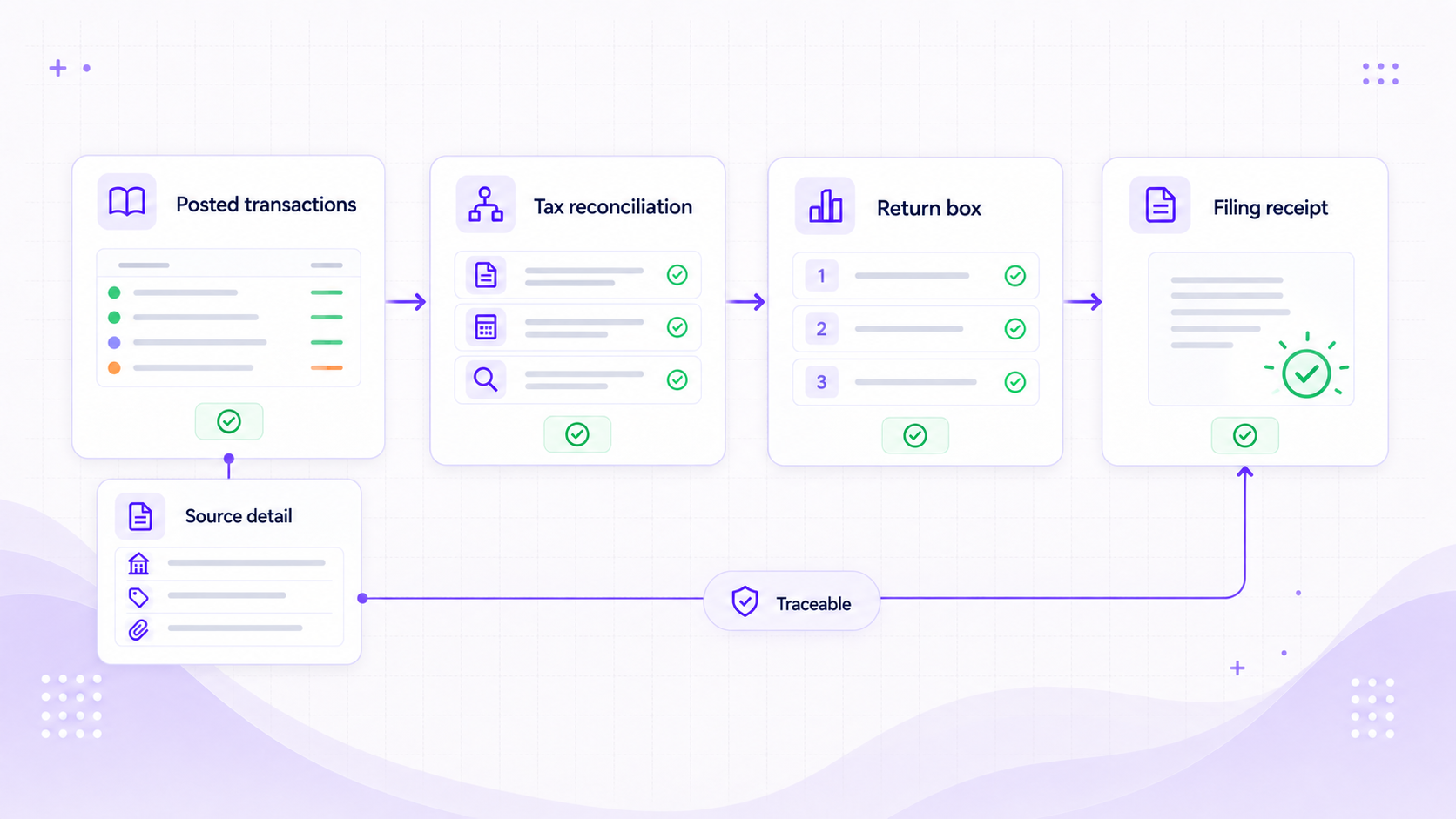
Trace
Open the source behind a filed figure
Follow a return figure back through the reconciliation to the posted transactions that produced it.
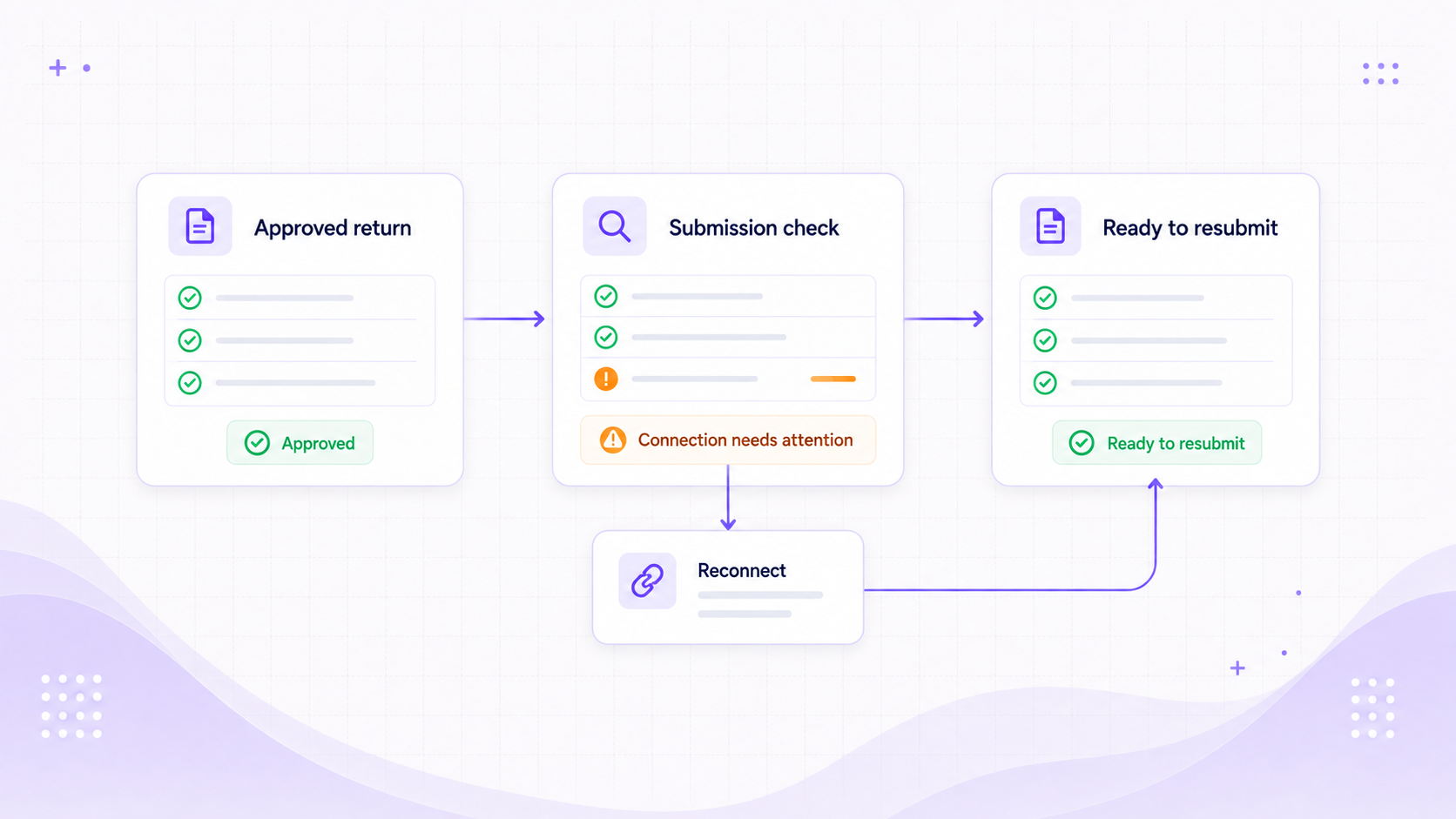
Recover
Fix a failed submission without starting again
The approved return is kept as-is while you reconnect the authority account and try the submission again.
After filing
A filed return you can trace back to the ledger.
The full filing in one place
Figures, source transactions, adjustments, approvals, and the receipt all belong to the same return.
See what is due and what was paid
Check open obligations, liabilities, payments, and earlier returns from the authority account.
Correct the next period
The filed return stays locked. Later corrections keep a link back to the return they fix.
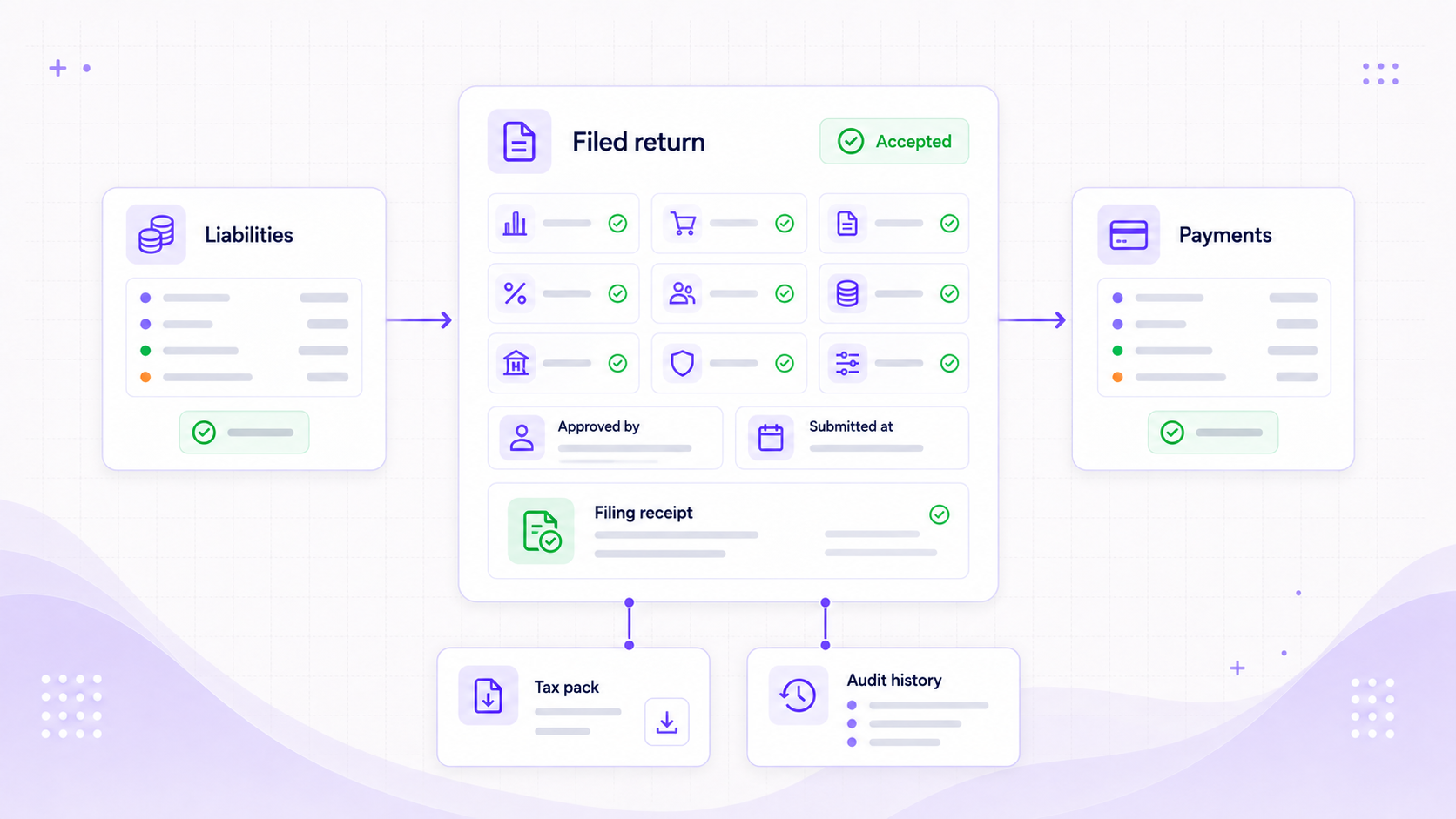
Tax returns
File the return from the same books you use to run the business.
See how Foresight takes a return from approved finance data to a recorded filing receipt.