
Controls
Finance control embedded in every ERP action.
Keep users, roles, approvals, period locks, audit history, workflows, and reports inside the same control model that governs the finance data.
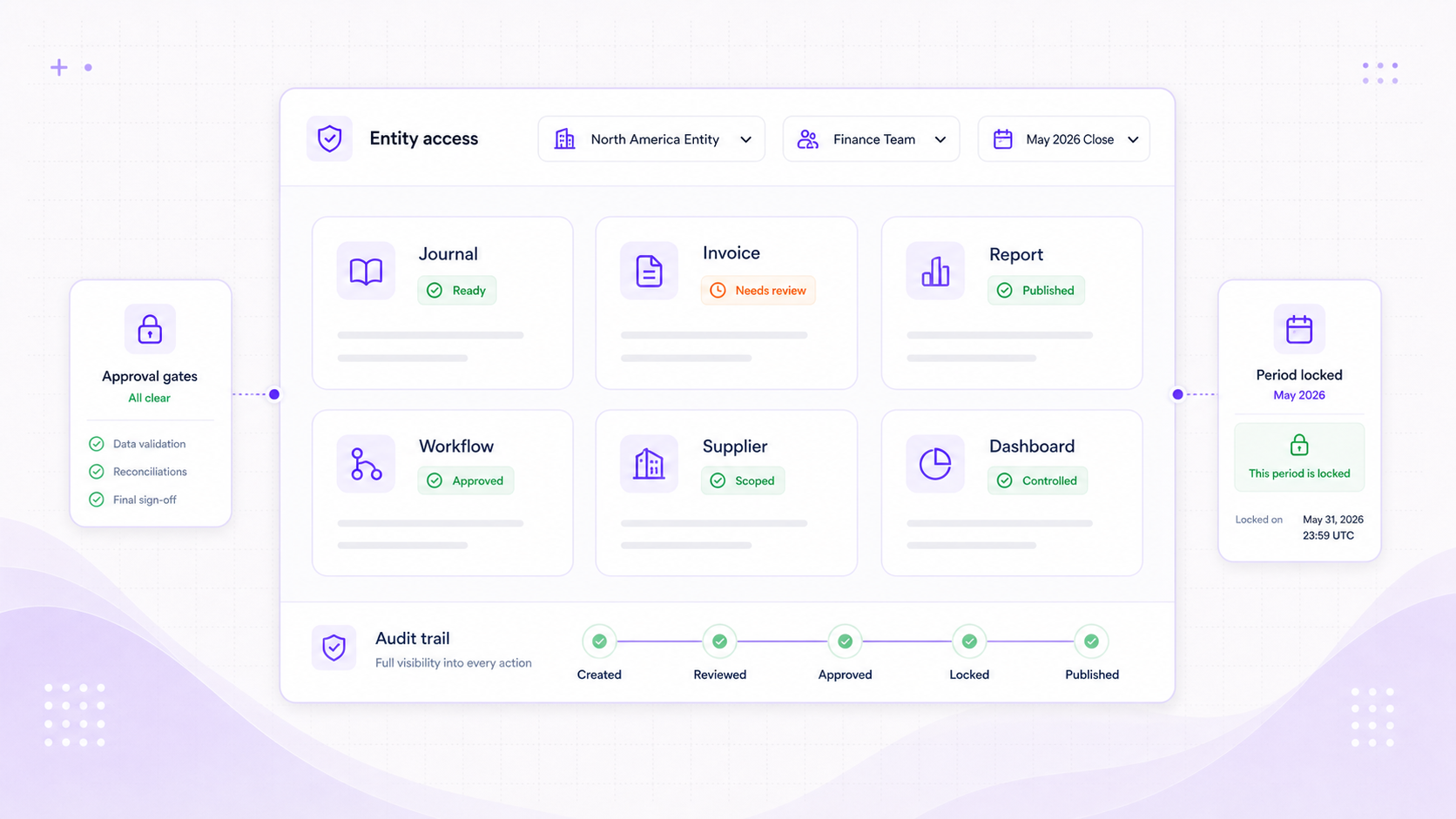
Access governance
Put every user in the right scope before they touch finance data.
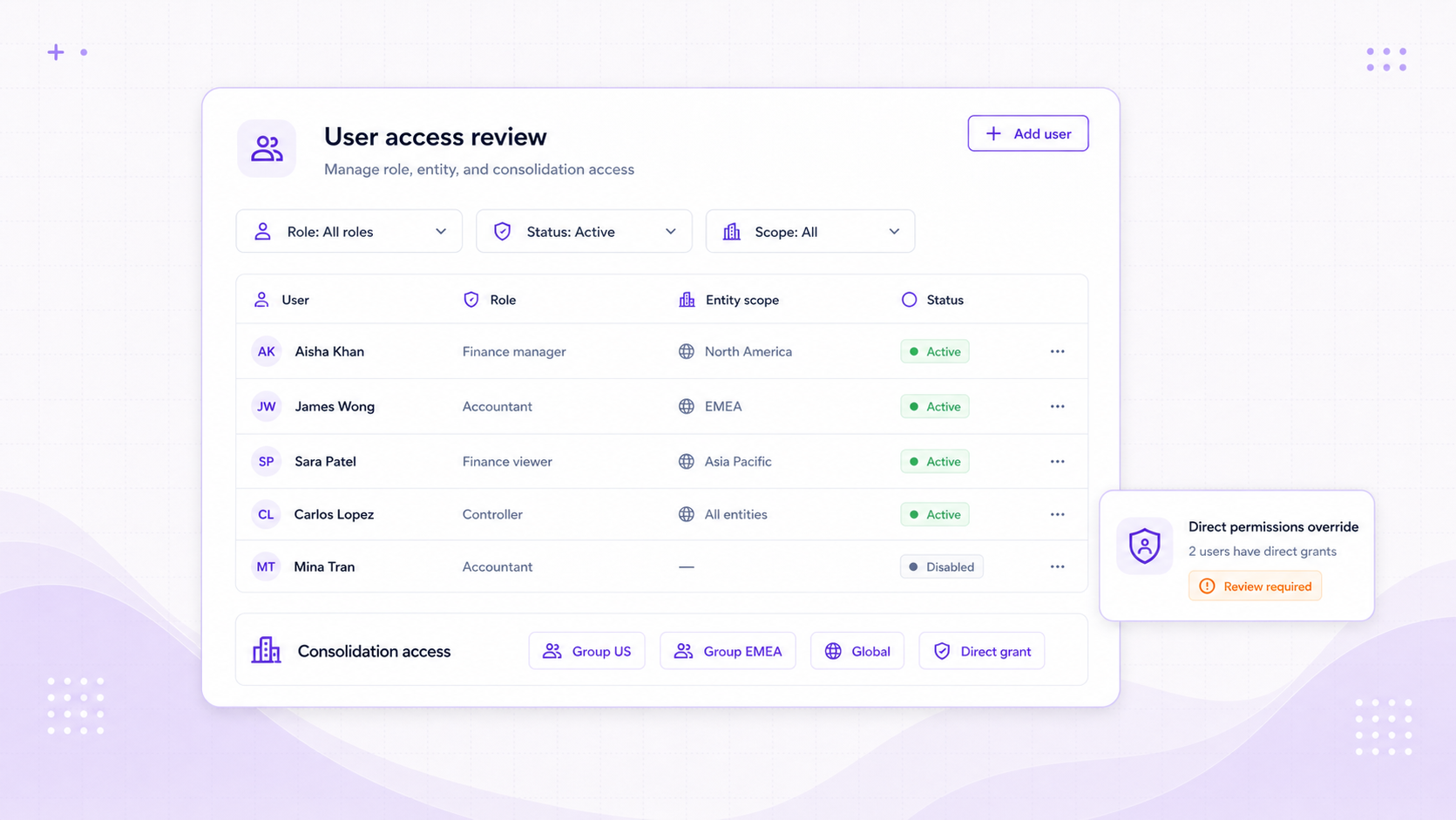
Foresight combines roles, direct permissions, entity access, and consolidation access so finance teams can separate who can view, edit, approve, publish, and administer.
Roles
Permission matrices by finance capability
Group permissions across accounting, banking, sales, purchases, reports, workflows, administration, and consolidation.
Scope
Entity and consolidation access
Assign users to operational entities and group structures with active status, role inheritance, and scoped permissions.
Direct
Role overrides when needed
Grant or clear direct permissions for specific users without changing the base role for everyone else.
Approvals and audit
Review decisions stay attached to the finance record.
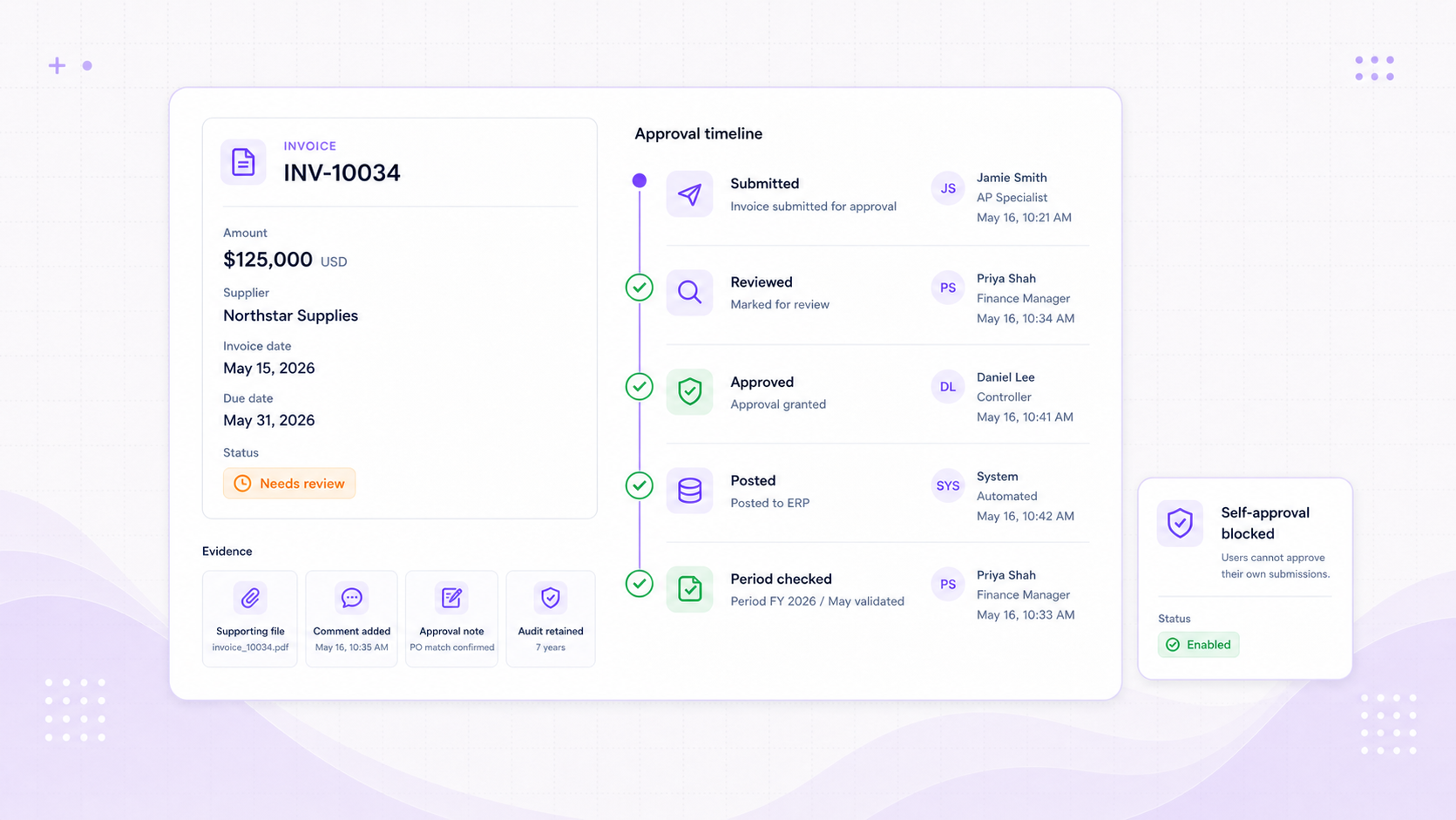
Approval queues, approval history, comments, posting events, file activity, and audit logs preserve who changed what, when, and why.
Queue
Unified approval work
Review pending sales invoices, purchase invoices, orders, credit notes, and journals from one approvals surface.
Decision
Approval state and self-approval rules
Capture submitted, approved, rejected, returned-to-draft, and admin self-approval events with user context.
Trace
Audit trail attached to the record
Keep lifecycle events, file activity, posting events, comments, and timestamps visible after the action is complete.
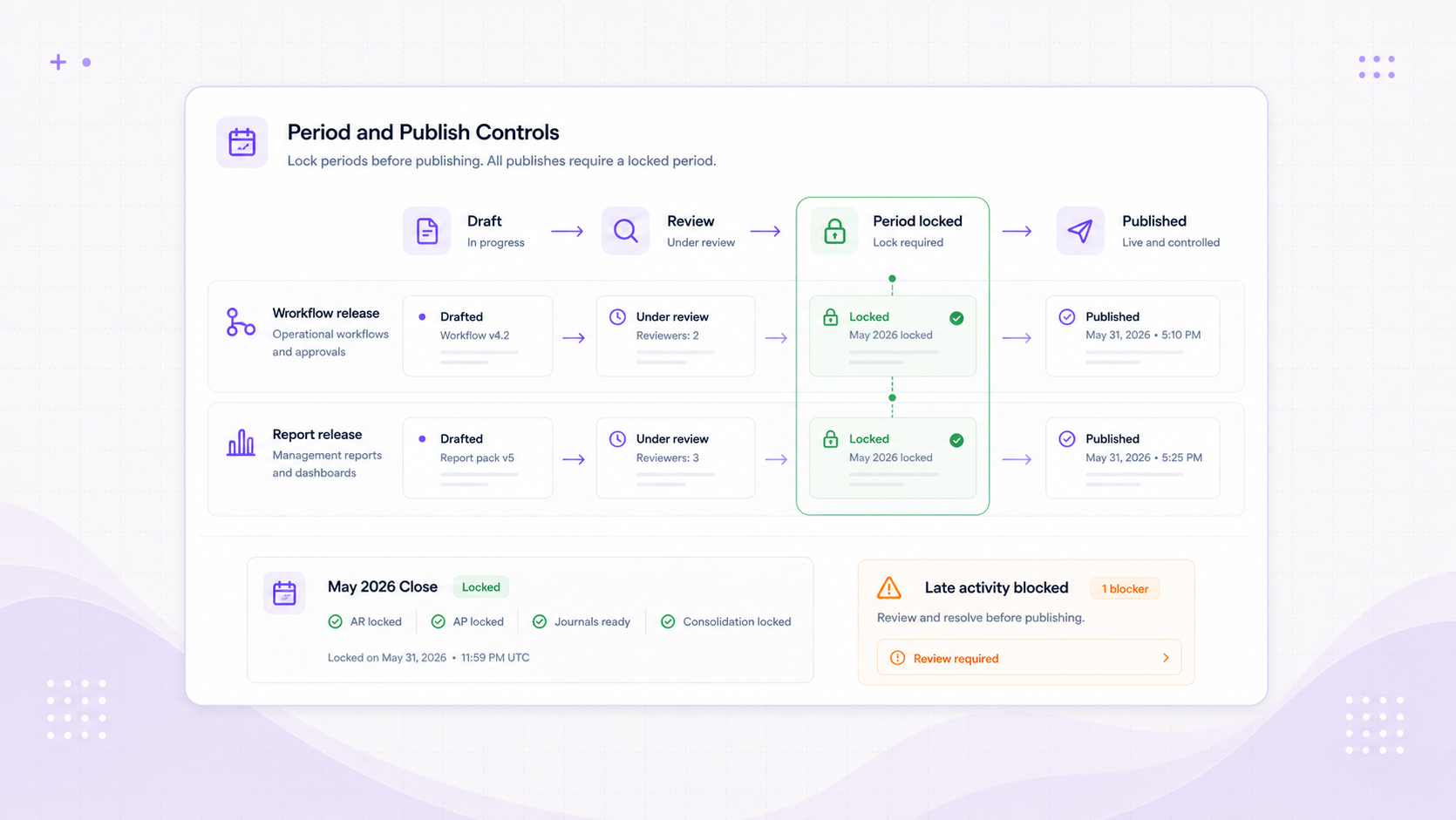
Period and publish controls
Protect closed periods and controlled releases from late change.
Month-end sections, consolidation posting areas, workflow versions, and report versions all move through deliberate lock or publish states.
Lock
Section-level period locks
Lock AR, AP, bank allocations, journals, fixed assets, revaluation, and consolidation sections for the period.
Block
Late-activity protection
Surface stale revaluation and late activity before month-end or reporting work is treated as final.
Publish
Controlled workflow and report releases
Use draft, review, publish, and edit-lock states so workflows and reports go live deliberately.
Control at every stage
Control that follows the work instead of sitting beside it.
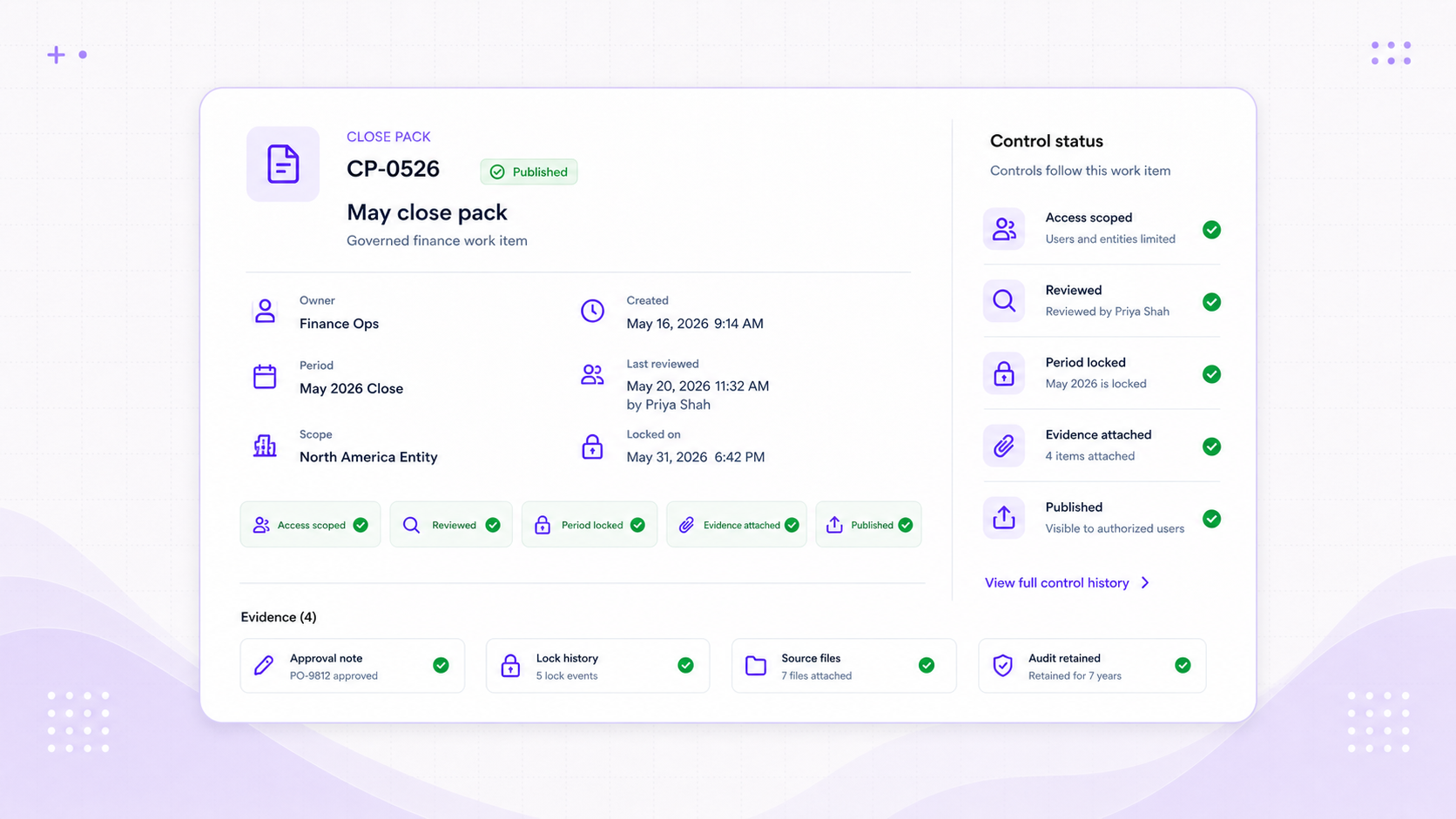
Permissions, reviews, locks, evidence, and publish states remain connected to the finance workflows, records, reports, and close processes they govern.
Access is scoped to the work
Users inherit the right capabilities for each entity or consolidation, with direct grants only where they are intentional.
Review decisions are explainable
Approval history, audit records, comments, and posting events remain attached to the finance object.
Finalised work stays protected
Period locks, late-activity blockers, edit locks, and publish states reduce accidental changes after finance has closed or released work.
Controls, embedded
Keep finance moving without letting governance drift.
Use Foresight ERP to keep access, approvals, audit trail, period locks, workflows, and reports governed by the same finance control layer.